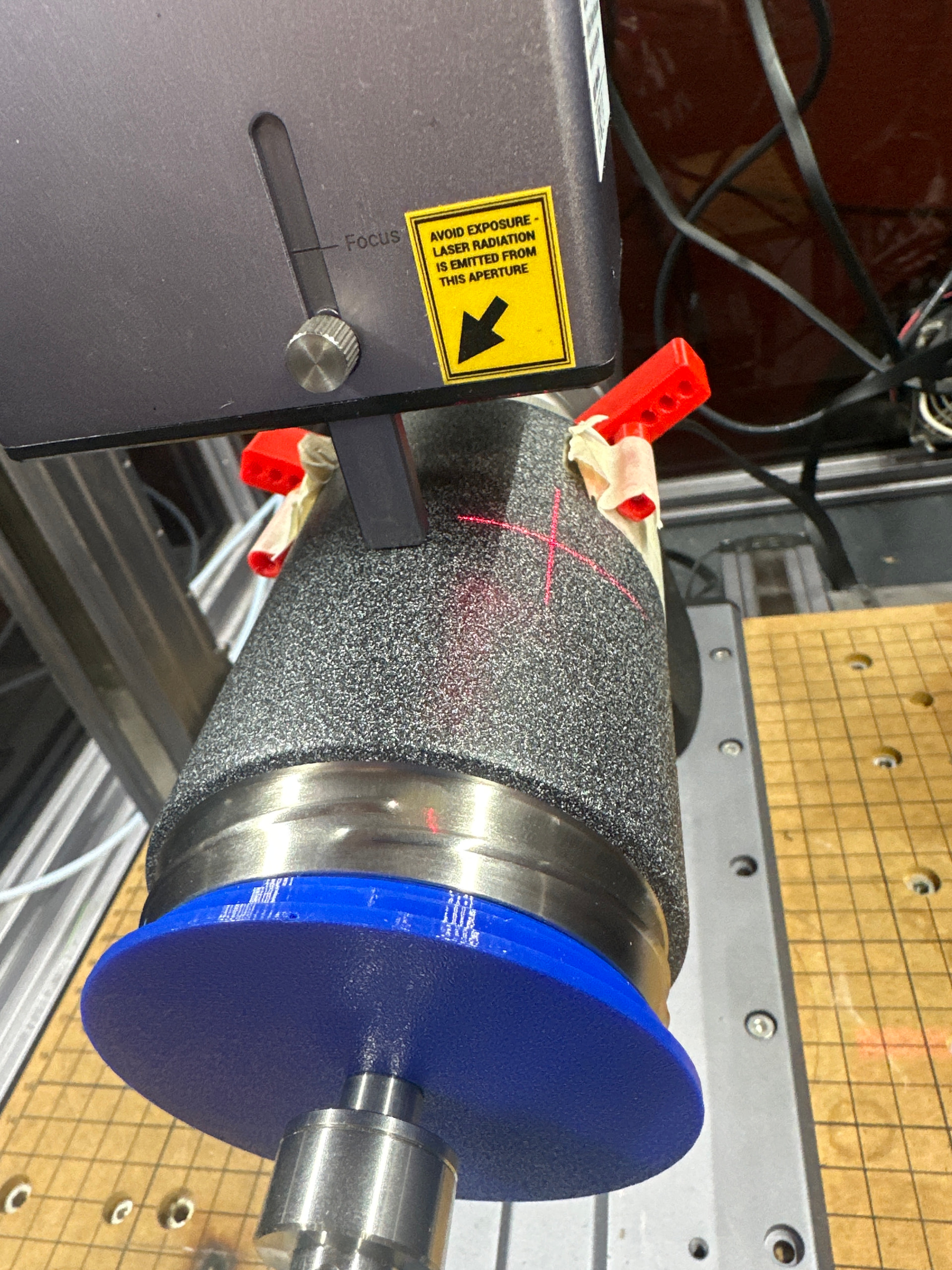
I’m having a really tough time trying to figure out what the problem is here. I will send the file, calibrate the focal point, set the work origin, check the boundary and all looks good. Then when I go to laser, it is way off to the side of where the highest point would be for the correct focal point, and not at all where the boundary was.
Start with the easy stuff, check that your Job offset is set to crosshair. When you run the boundary it should return the crosshair laser to that same point.
So after setting the work origin, and running the boundary correctly, it does return back to the work origin. Its just really weird that the actual engraving is not within the boundary that it just did…
It should, wherever you placed it before running the boundary. The boundary should run around the outermost edges of whatever you are engraving, as a rectangle, to show you where it will be placed.
Is your FW all up to date? And is your Luban all up to date, if you are running Luban?
My boundary seems to run right, and its outlined by the crosshairs corectly. When I go to burn the laser head moves over to the left, and burns off the top edge of the My firmware is 1.20.3, with luban at 4.15.0.
Could be. The cross hair does not point to a place where the laser is directly above.
It’s offset, to check how much exactly, get some scrap. Have the laser draw a 1 x 1 mm circle on some scrap. Line the crosshairs up with that circle, and run it again.
The distance between those two circles is your laser offset.
I’ve never changed mine from default and it’s always spot on. Something you need when doing multiple projects on a piece and you need a consistent starting point.
Usually the offset automatically compensated for. I can’t even think of where to change it in the settings off the top of my head.
I missed this comment.. But yes, I have the offset mode set to crosshair, and it does return to the crosshair point that I setup when making the work origin. I’ll try doing the offset calibration using scrap like you mentioned…
As it’s noted on this site:
Please note that due to variations in the factory-calibrated data for each laser module, the offset values of the crosshair and the laser spot in the X/Y directions may be greater than or less than 21.6mm/15.1mm. The actual offset values should be determined based on your specific machine, but they shouldn’t deviate significantly from the standard values of 21.6mm/15.1mm.
You can view your machine’s offset in Luban.
Thanks for the link. On my 2W settings the option to pick the laser is grayed out, requiring me to use the crosshair. I’m thinking that perhaps that I want to use a diode laser on this anyway, and that the IR might not be even what I want (although it would be good to have the IR laser working well with the rotary module). If so, I hope that the 10w will work better. I’m losing my mind with this one… (Ideally I’d like to use them in lightburn, but that has been proving to be another pile i’m stepping in) Anyway, think that a diode will work with this to remove the coating, and if so any suggestions for the power/speed?
If you’re using Luban software, it’s recommended to start with a matrix test template—for example, with engraving speed on the X-axis and engraving power on the Y-axis—to conduct a comprehensive test on the material you plan to engrave. Once you achieve the desired result, use the parameters from that outcome for further testing.
ps:The blue laser(10W) can engrave off the coating.