I have a Snapmaker 2.0 that I bought some time ago. I’m pretty sure I installed whatever firmware was the latest at the time and then left it at that.
About a week ago my print failed, causing a big blob to form in the extruder head, and when I pried it off it broke some of the wires. I couldn’t fix it easily, and I couldn’t find a way to buy a replacement, so I looked into the next best thing, the dual extruder head which I could at least buy.
It arrived today, but it turns out it needed firmware newer than I had. I went to firmware update, it detected the latest thing, I said upgrade, then it told me something like file format is invalid.
Looked up Snapmaker’s guides on how to do an USB update, manually downloaded the same firmware, ran the update and … it locked up at the last stage with the display stuck on “Updating …” with no progress indicator. I waited like 30 minutes after that and nothing happened.
Powered off and on, it claimed the update was successful. Tried to plug in the dual extruder, powered off and on again, then tried to open the calibration. Black screen. No way out of it. Power off and on, try check settings, black screen.
Tried to apply the firmware update again. Same issue, doesn’t finish. Still doesn’t work.
Tried to apply a bit earlier version, same issue.
Tried to apply a version at least very close to what I had, forget the exact version but 1.14.x, so I installed 1.14.3. It seemed to at least generally function, but wouldn’t boot with the dual extruder connected. After that I tried the factory reset from Luban, and went through installing quite a lot of versions in order, waiting until the “Updating …” screen and then a few minutes afterwards before power off and on again.
- 1.14.3
- 1.15.12
- 1.15.26
- 1.16.7
- 1.17.17
- 1.18.2
- 1.19.0
- 1.20.3
And then when the last update installed, it finally was able to finish updating on its own, rebooted fine.
I took pictures of the “about” screen after every version and noticed the touchscreen version wasn’t changing for most of it and only after 1.19.0 it had updated and 1.20.3 updated it as well. The controller version updated for every one of them.
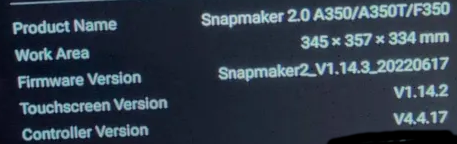
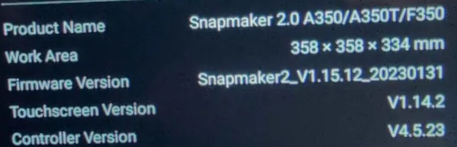
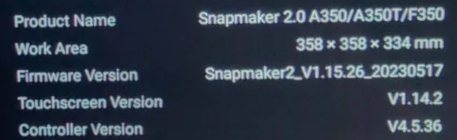
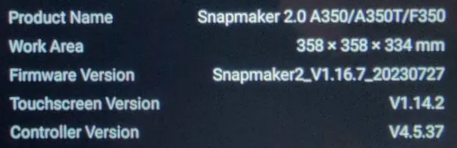
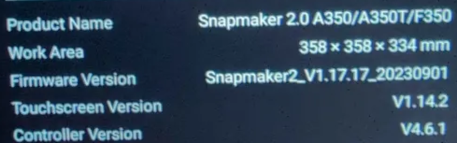


I couldn’t find any obvious forum posts, or support pages, explaining that any of this would be expected, so hopefully if anyone else runs in the the issues of firmware updates not finishing, ending up with black screens, etc. you find this and realize that you probably need to patiently go through a bunch of firmware updates one by one via the USB update and then it might just magically work out in the end.
I also noticed that if you’re stuck on the “Updating …” screen one way to escape it is to unplug the USB device, but, it just puts you to some other updating screen with the progress bar still on it. Also you can apparently reboot the device remotely via luban’s “boot info” or some such macro for some reason, seemed to work about as well as power cycling.