【Offical version Firmware】 is ready for 2.0, you can download and test it. The official machine firmware will be push before 2026-02-30.
Download
-
EN: Version:V1.21.0 (2026-02-10)
-
CN: Version:V1.21.0 (2026-02-10)
_________________________________________
The vibration compensation feature for snapmaker 2.0 was just released today, you can download the latest version from here.
vibration compensation mainboard firmware
Download
- version: V2.4.0 (2026-01-05)
_________________________________________
Changelog
-
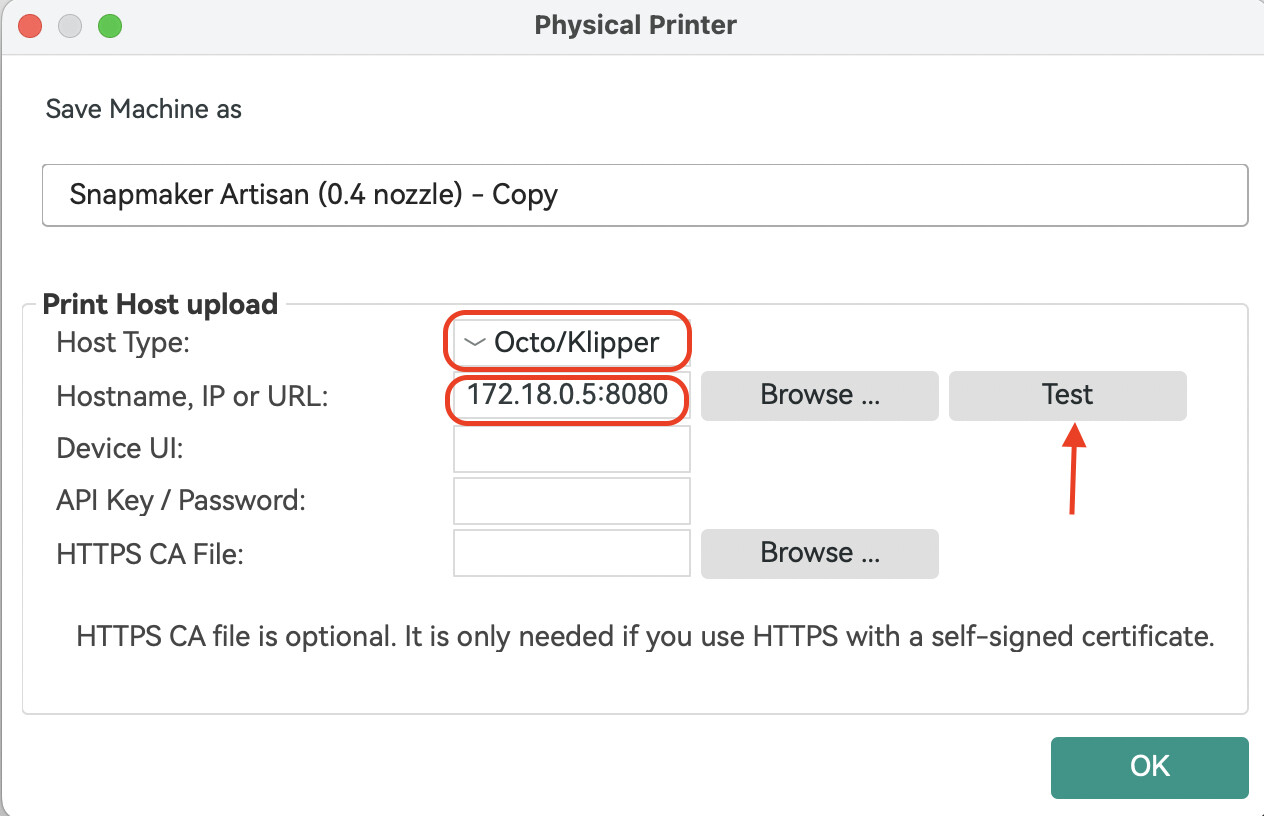
Added Direct Machine Connection support for Snapmaker Orca. You can now send G-code to your machine over Wi-Fi without using Luban as a transfer station. Snapmaker Orca communicates directly with your machine through the OctoPrint protocol.
-
Added a Repeat Job button on the touchscreen. After a 3D printing, laser, or CNC job finishes, you’ll see an option to repeat the job and start it again with one tap.
-
With the beta firmware you no longer need to open Snapmaker Luban first to establish the connection. The only difference from before is the IP-address format, which now becomes: current device IP:8080 , e.g., 192.168.0.1:8080 .
-
For detailed steps, please refer to the WIKI:Click here to wiki


_________________________________________
Known issues
-
When using the single-head dual-nozzle setup for bed-level preheat or XY-offset calibration, uploading & starting a print from Orca will interrupt the calibration.
-
Uploading & starting a print from both Snapmaker Luban and Snapmaker Orca at the same time will cause the job to fail.
-
In some cases, sending a file via Snapmaker Orca may stick at 0 % upload progress; if this happens, restart the machine and provide logs plus a description of the problem.
-
When using the rotary module, the “re-print” function may occasionally restart the job at a different origin.
-
When re-printing with the laser module, pausing during the downward move will cause the return-to-origin to fail.