Luban moves parts of SVG file when generating g-code

I am trying to cut a file i purchased from etsy. the different parts were very spread out so to conserve material i opened the file in https://boxy-svg.com/ and moved the parts closer together. I downloaded the edited file and loaded it into Luban it looked fine. I made the tool paths but when I generated the g-code two parts were moved way of the workspace. I tried printing the file and the parts that were in the workspace were cut as they were supposed to. I have included photo that show views of the files and screen shots from Luban.
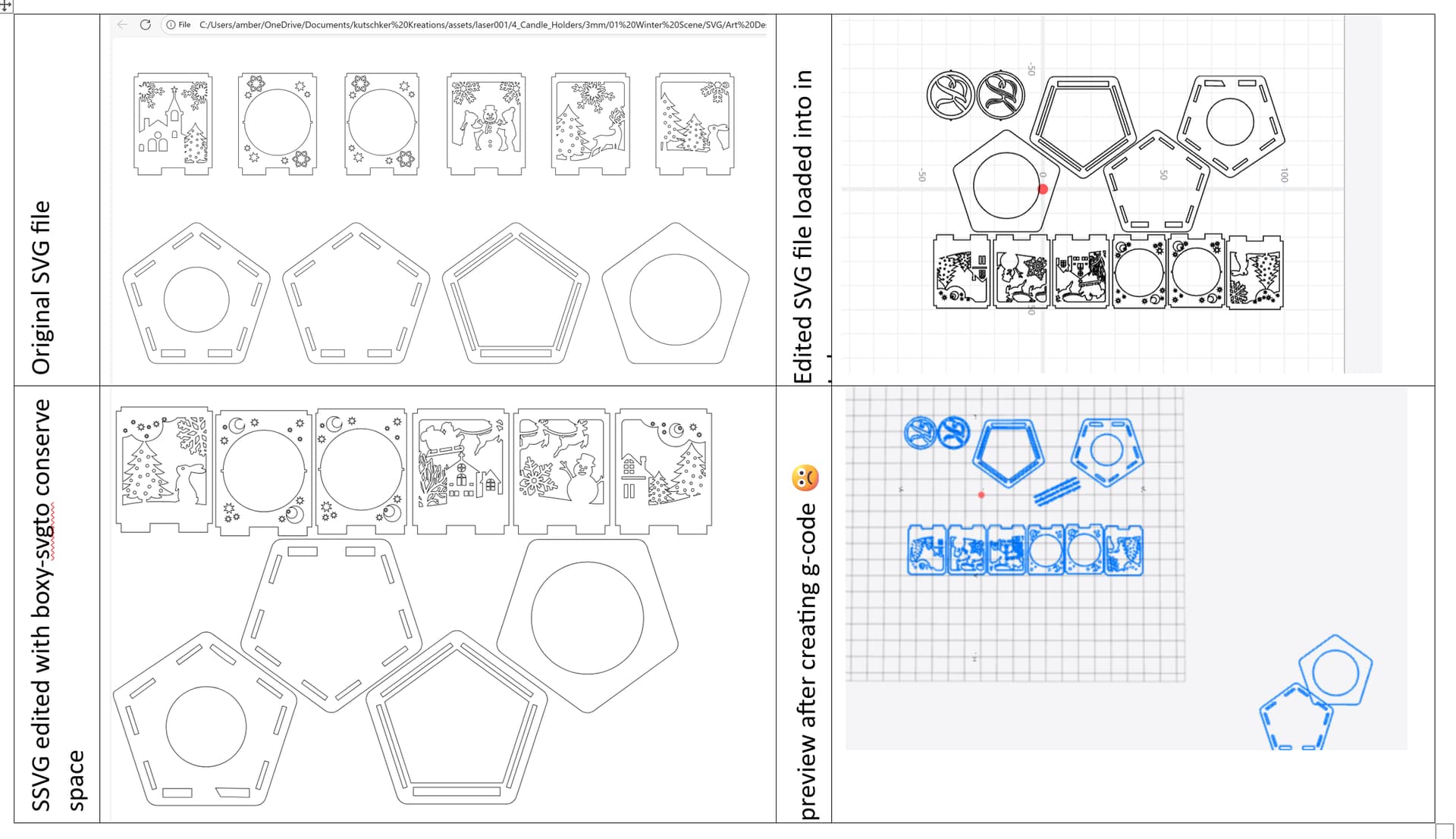
I am using snapmaker Luban 4.10.1

Which machine and laser are you using, and do they match in the Machine setup in Luban?

Please open a support ticket or email them.

support@snapmaker.com
or
https://snapmaker.formcrafts.com/support-ticket

snapmaker 2.0 A250 and 1600mW laser yes they do match

I’ve seen Luban do this multiple times with SVG files.

The way I have gotten it fixed….

Use Inkscape to edit the SVG.

Select all objects (CTRL-A or CMD-A)

Now select the Node tool (N)

From the menu bar, use Object→Union (CTRL-+ or CMD-+)

Save the SVG as a new file.

Now try and load it into Luban.

1 Like