This version is a beta for 2.0, you can download and test it. If you encounter any issues, please leave feedback below so we can iterate quickly. The official machine firmware will be released before 2026-1-31.
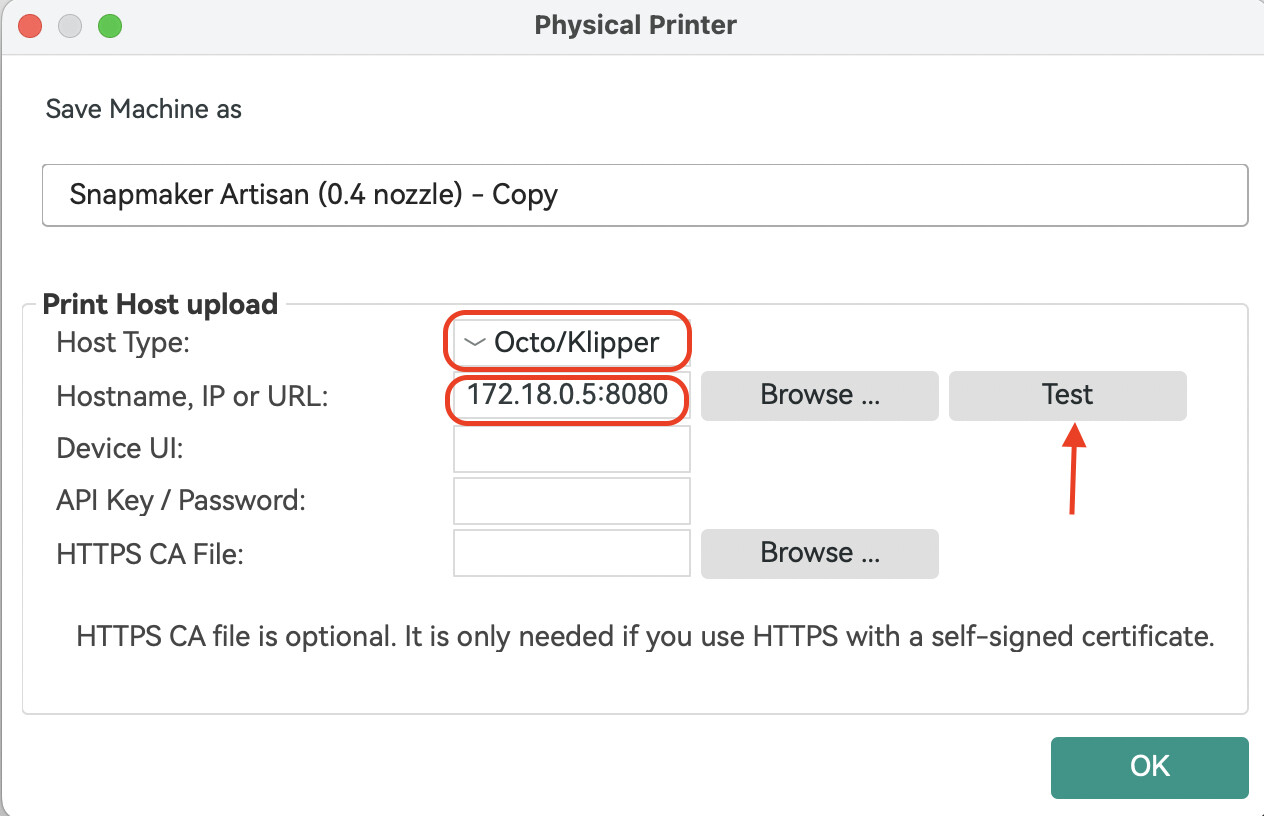
Added Direct Machine Connection support for Snapmaker Orca. You can now send G-code to your machine over Wi-Fi without using Luban as a transfer station. Snapmaker Orca communicates directly with your machine through the OctoPrint protocol.
Added a Repeat Job button on the touchscreen. After a 3D printing, laser, or CNC job finishes, you’ll see an option to repeat the job and start it again with one tap.
With the beta firmware you no longer need to open Snapmaker Luban first to establish the connection. The only difference from before is the IP-address format, which now becomes: current device IP:8080 , e.g., 192.168.0.1:8080 .
When using the single-head dual-nozzle setup for bed-level preheat or XY-offset calibration, uploading & starting a print from Orca will interrupt the calibration.
Uploading & starting a print from both Snapmaker Luban and Snapmaker Orca at the same time will cause the job to fail.
In some cases, sending a file via Snapmaker Orca may stick at 0 % upload progress; if this happens, restart the machine and provide logs plus a description of the problem.
When using the rotary module, the “re-print” function may occasionally restart the job at a different origin.
When re-printing with the laser module, pausing during the downward move will cause the return-to-origin to fail.
We’re collecting the issues you’ve encountered when using this beta version. Post in This Thread: Feel free to discuss any issues or feedback here.
@Simon_Zhi, I sadly report back that the vibration compensation firmware is not part of the new beta. The M493 setting is missing in the M503 machine settings. Obviously we have two beta firmware releases with different features now.
Bug report: Machine acceleration settings for print and travel-accleeration are way too low:
Uploaded to the 2.4.0 firmware, turned on Vibration Compensation through the Luban Console. I’ve tried two different PLA’s, turned up the temp (220C) and lowered the speed (30mm/s)….seeming to get a big under extrusion situation. I just picked this up second hand, A350T B&QS. Going to test with my own sliced file next.
Have no problem warming up nozzle and manually pushing large volume of filament so I don’t believe this is a clog.
Ended up only being 5% off but I think it figured out the problem and why previous owner gave up. Nozzle was WORN out…unless this was a larger nozzle, but notices markings. New .4mm on the right going in now.


 Is the vibration compensation part of the firmware?


