Can someone let me know how to correct the layer shift problem after installing the VC software update?
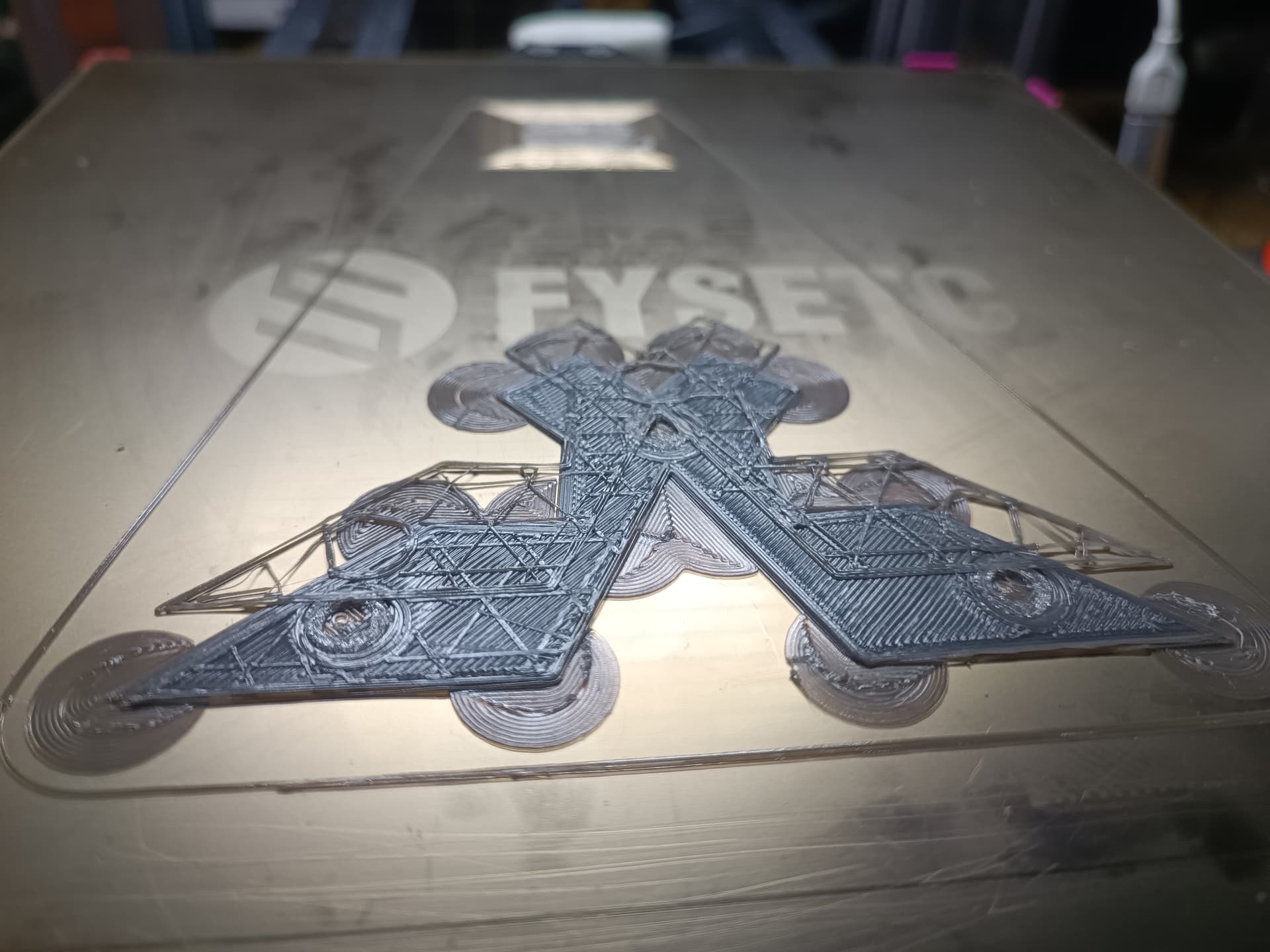

I would suggest to lower the acceleration (or print speed).
From:
M201 X3000 Y3000
To:
M201 X2500 Y2500 (or less, depending on your speeds)
Enter it in the terminal when your machine is connected and don’t forget to save with M500 .
Forgot to update my friend… actually it was a play around with accelerations and speed rate… I get them down to 1k and now all is working properly back. I am using orca Slicer so I just update them into the profile. By the way I would suggest everybody which is using Orca Slicer or Snapmaker Orca to uncheck the option of precise wall… that option makes X axis to draw unnecessary lines or leave bumps on X axis like if there where some jumps in the nozzle when printing…
I experienced the same and wasn’t really happy beacuse I ran a pressure advance pattern for adaptive pa and all looked the same and was off. I assume it has to do with the different linear advance implementation mentioned at the end of the first abstract in that link:
https://marlinfw.org/docs/gcode/M493.html
Maybe that linear advance isn’t overwriteable by gcode?
@Jade I also ran into the issue that the califlower I printed, consistently shifted in y direction with the beta firmware and vibration compensation disabled (S0)
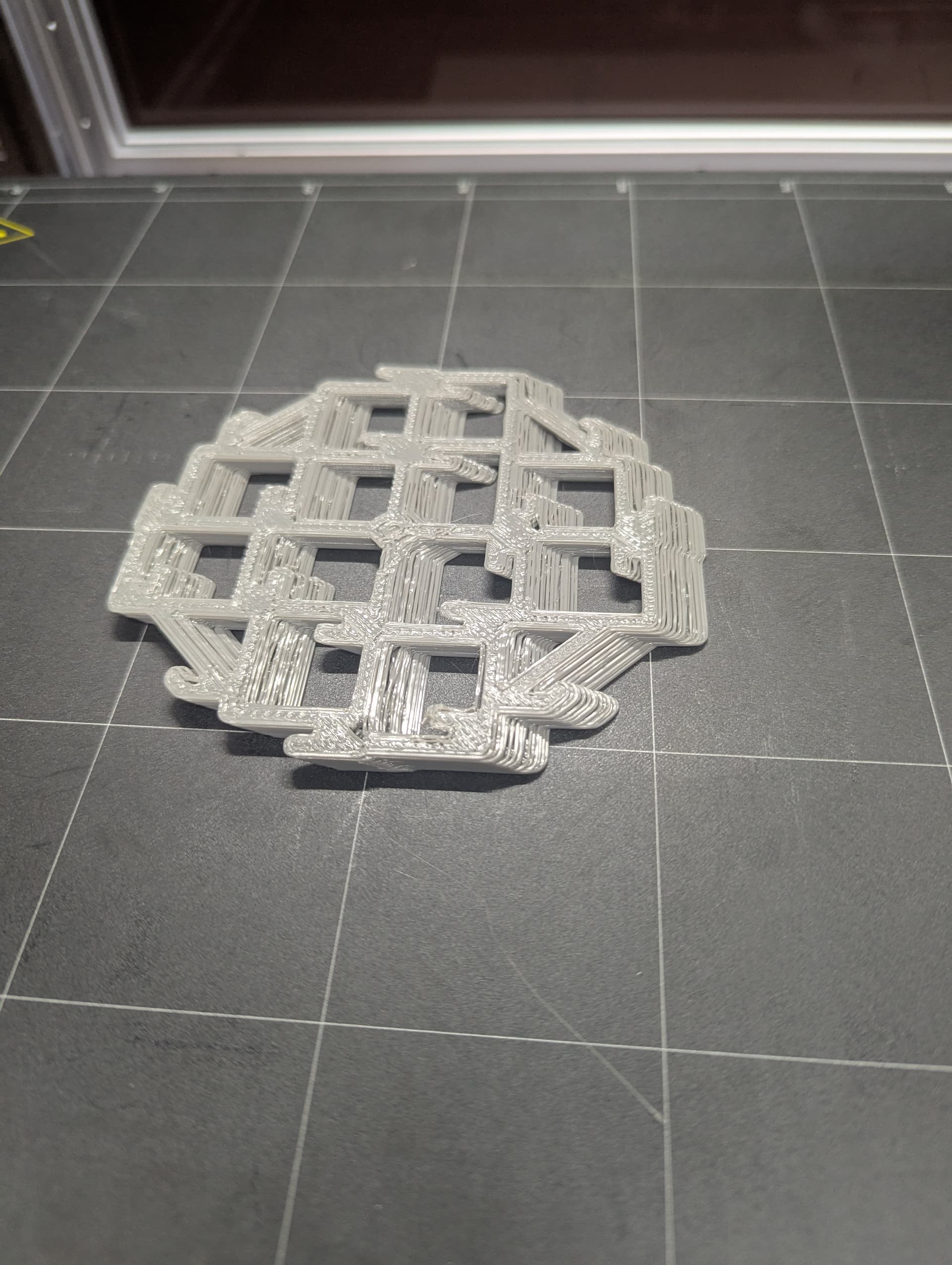
Hello, there might be an issue with the acceleration or Jerk settings. If you’re using Snapmaker Orca, you can adjust them in the speed tab. Try setting the acceleration to 1500 or lower and the Jerk to 5 for now.
As needed, adjust the maximum speed, maximum acceleration, and Jerk settings in the Printer settings as well.
So you mean it is a mechanical issue with skipping steps? Because than it should also occur when running the same speeds without the beta firmware am I right?
Some settings in Snapmaker Orca may be based on the assumption that vibration suppression firmware is enabled. Even if you later use another slicer, these settings can remain if their values are not overwritten. Therefore, if the maximum value has once been embedded, setting it to S0 might not resolve the issue.
My approach is to lower the value once, apply the setting, and write it to the machine to try to solve the problem.

2 Likes
Thanks for your answer!
I actually used orca slicer, so the slicer should have actually no idea of the changes happening on the snapmaker. So that remembering process shouldn’t be possible in my oppinion. I will try again if I can reproduce the issue consistently with the beta firmware. Flashed to 1.19 for some prints now.
I’m a bit confused about the acceleration settings. I did the firmware upgrade, printed a ringing pattern, and adjusted the settings accordingly. It was fine but now I see M503:
M203 X150.00 Y150.00 Z40.00 E45.00
M201 X3000.00 Y3000.00 Z3000.00 E3000.00
M204 P500.00 R3000.00 T2500.00
M205 B20000.00 S0.00 T0.00 P0.05 L3.00 C0.05 J0.02
What’s confusing me is the M204 P500.00 setting. According to the Marlin documentation, P refers to Printing Acceleration, which is used for moves that include extrusion (i.e., moves that use the current tool).
Can someone explain how this works in practice? Why is it set to 500 mm/s², while other values like R (Retract) and T (Travel) are much higher? Should I adjust this value, or is 500 normal?
I am not sure what’s factory settings but I guess P2500 would be near to it.
Anyway, if you would like to know it, you could reset to factory settings by M502 but you would loose your leveling if you save it by M500 (this means you need to un and repower the machine without M500).
Now I’m even more confused. I ran M503 again (after leaving the printer overnight), and all the settings are different:
M92 X160.00 Y160.00 Z400.00 B888.89 Current E667.22, BACKUP SINGLE E212.21, BACKUP DUAL E667.22
M203 X120.00 Y120.00 Z40.00 E40.00
M201 X4500.00 Y4500.00 Z100.00 E10000.00
M204 P500.00 R4500.00 T4500.00
M205 B20000.00 S0.00 T0.00 P0.05 L3.00 C0.05 J0.02
Is the firmware evolving or is there something else going on? Why are the settings changing unexpectedly? Is it possible that OrcaSlicer updates the settings?
It’s possible to act individually per print feature. I think you are right and there is a setting activated in orca  .
.
I checked recently Marlin’s M493 docs and it seems that it changes, so now the S0/S1 disable/enable FT-Motion and C0-8 enables specific method. @Jade will you update the code to comply with Marlin’s?
@mhb This is likely caused by the speed/acceleration being set too high, which led to skipped steps.
FYI. You can check the default maximum acceleration and maximum print speed by sending the G-code command M503. These default values are what we recommend as the safe limits.
Different machine models and different conditions (e.g., whether Vibration Compensation is enabled, and whether you’re using 8-lead or 20-lead screws) will have different defaults.
You can restore factory settings to see the original default values as well. Re-enabling or disabling Vibration Compensation will also show the corresponding defaults. Of course, if you haven’t changed anything, the numbers you see are simply the defaults we set.
Please learn the update on this thread.
Currently, we don’t have plans to update the code for that purpose.
Please learn the update on top of this thread. @xchrisd @Hauke @Simon_Zhi
3 Likes
installed that firmware today on my F350, works as expected with vanilla Orca Slicer
1 Like