DISCLAIMER - preproduction hardware and beta firmware/software is used. AMOLEN Rainbow Silk PLA was used for the print.
Thanks to @macdylan and a member of the Chinese Snapmaker community, I was presented with a cold plate, Custom made for Snapmaker U1.
This is my first time using a cold plate - and I’m blown away  What a Gem.

Turns out setting bed temperature to 0 - usually a bad idea, since it would never get to freezing in the space where a printer is sitting. Luckily, it didn’t matter in my case. I discovered that slicer in it’s current beta version, simply ignores the bed temp if it’s set around 30 degrees. And inserts M140 S60 anyway.
I tried changing temps in filament settings for single filament. For all filaments. Changed plate type to Smooth Cold in the plate settings. All the same. Even enabled multi bed support (as was discovered by @Wombley, enabling this would help with bed settings). Still, couple of commands would sneak into the sliced file.
At the end I had to manually clean up the G-Code, by commenting out the M140 and M190 commands.
First print… Fail!

If only I stayed with printer when it started… I would have noticed the AUX fan blowing at 100%…
Some more investigation - found the source in the G-Code snippets in printer settings. Delete, slice, send it… Success!
Printed at an ambient 28°C bed temperature with AUX (chamber) Fan OFF. Straight as it should be, great print. No need in brims and glue sticks.

You can see outlines of the print after removing it.
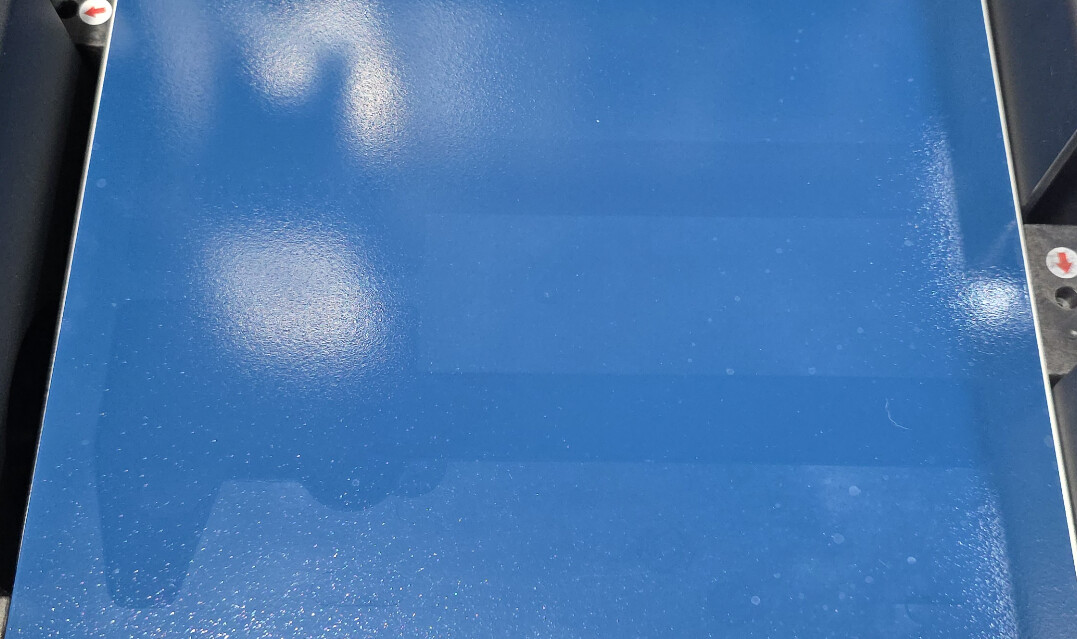
As to what it is made of - I have no idea. My best guess is it is powder-coated surface. And theoretically, I can take one of my stock beds, and turn it into a cold plate in my local powder coating shop.
Maybe @macdylan can shine some light on this Meanwhile, this is my new go-to surface to use for prints prone to warping.
All issues are reported internally, and will be taken care off…
