Hi guys,
I just registered here in forum because of a problem which I already experience for a long time.
My name is Roman, I am from Germany and I am running the Snapmaker 2.0 A350, using
Fusion Autodesk 360 and the Luban Slicer for making my prints.
I often print objects which have a lot of small holes (3mm diameter for example) (threads and screws are drilled in / put in later).
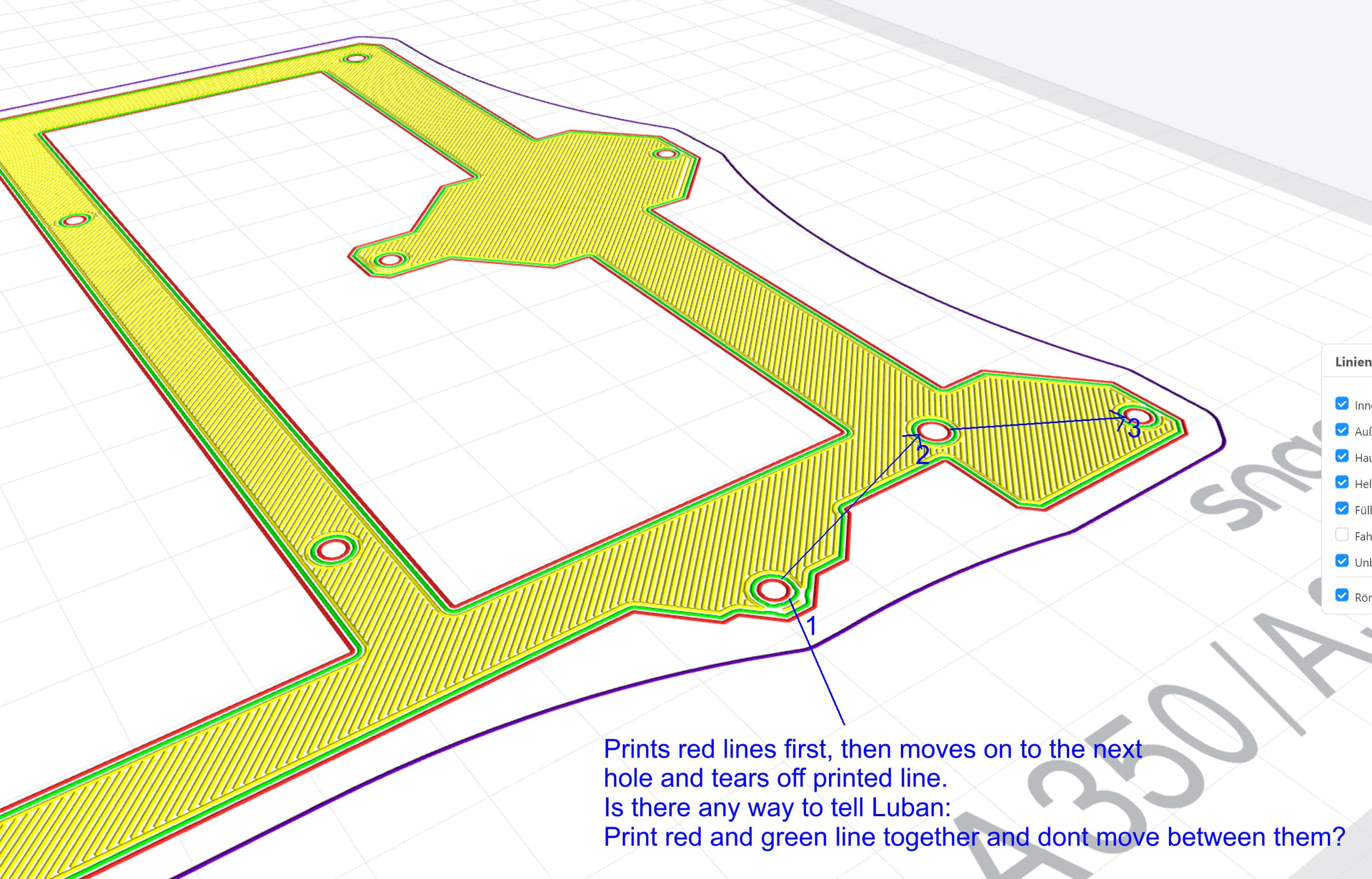
The printer usually decides - depending on Luban settings - to print outer walls first/infill second or infill first/outer walls second. Whatever setting I chose on Luban, it makes the printer to draw the holes first, often with a single line (outer wall) and then move to the next hole (again a single line) and so on, and then print all the rest. Due to the fact that the printer just draws one line for these holes on the first layer (and then move on to print another part first, for example another hole), the toolhead often tears away what was just printed, because of the small amount of filament which gives just a little amount of adhesion.
Is there any setting in Luban to tell the printer not to draw outer walls first or infill first (you can only chose the one or the other) but print - maybe just for the first layer - things hanging more together.
For example print all the round walls for a hole completely (more amount of filament, more adhesion) before moving to the next one and printing them bit by bit.
I am printing PLA at 215°C, 60°C plate temp.
First layer speed at 15mm/sec.
Would be thankful for any suggestion.
Thanks,
Roman