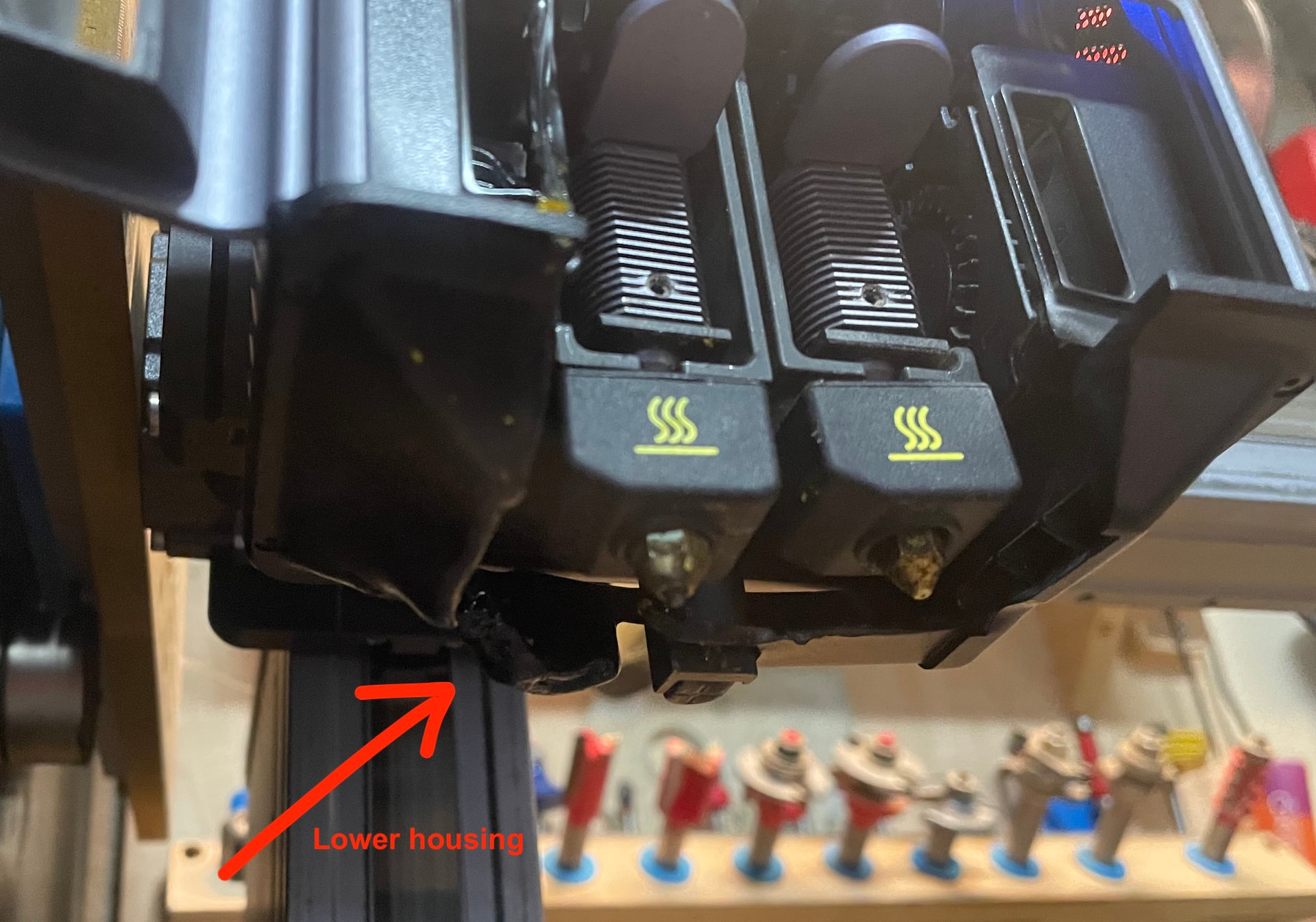
Came home after running some errands today to find a catastrophic PLA print failure. Somehow the job failed after about layer 3 and completely engulfed the left extruder head and half of the right.
I should have taken a picture of it, but I did take pictures of what I had to extract carefully with heat gun, pliers and clippers.
I since recalibrated the machine and the printer seems to be printing just fine, but my surgery did partially melt the bottom head housing and the left fan shroud. I was able to heat massage them back into place and out of the way, but they don’t look nice, and the left fan flow may not be optimal.
I have contacted Snapmaker support, and I hope that the replacement housing and fan shroud are available (they have been great in the past about making other parts available for DIY repair).
In the meantime, I am wondering if anyone has any STLs of these parts. Maybe I can just reprint them in nylon-CF. 
Can anyone help?
UPDATE: As expected, Snapmaker support was awesome and are making replacement parts available very economically (except for shipping and tariffs, which are prices they have no control over (understandable)).
While I wait for those parts, the printer is working fine for single color prints, but I did an XY calibration and now it is way off.
From the factory, the unit was nicely dailed in, requiring no offsets in X or Y.
But now the X offset is off the scale. I need 1mm more adjustment in X than what is offered in the XY calibration process.
Does anyone know if there is any manual adjustability of the hotend/nozzle to try to reclaim that 1(+) mm? Without it, I fear that dual color prints are now lost to me. 
I have ordered a new hotend and will see if that fixes it, but wanted to see if anyone has found a way for minor manual/physical adjustments.
I had misaligned hotends too in the past.
The tube was bent in my case.
Hopefully the replacements bring you back on track.
Fingers crossed…
But I just had another idea. Does anyone know what the marlin commands are to view and change the offset in the device configuration? Perhaps I can just tweak that setting after I perform the XY calibration.
OK…. did some research by downloading the firmware code and various google searches…
I’m in the middle of a (single-color) print job, but I think I can query current settings with M503 and/or M1006. Then I can change hotend offset settings with M218 and save them with M500.
I’ll give it a shot tonight and report my findings).
Yup, the marlin code works.
Connectwith Luban.
In the console, type “M218” and it returns something like…
echo:Hotend offsets: 0.00,0.00,0.000 27.50,0.24,-1.300
ok
To change the value, type
M18 T1 X[-]n.nn Y[-]n.nn Z[-]n.nn
Note that the syntax to set the values is different than what it returns (echoes).
Then use M500 to save the settings.
Also, presumably the left (T0) extruder is the origin (hence 0,0,0) and the right extruder (T1) is the offset from the left.