This may seem like a dumb question but until recently I have been able to print fine on my A350 using Luban and fast prints BUT when I changed to normal or high quality prints to make a very small intricate product, it failed miserably producing a spiders nest! So, should I have to recalibrate the hotbed when changing print quality or is there something I may have missed?
Is the spiders nest due to the print detaching from the build plate? If so, print a first layer test to make sure the distance between the bed and the nozzle is good. You could also try increasing the initial layer height a little to see if this helps.
It seemed to print the first layer ok (base) but looking round about 20 mins later, to see how the print was coming on, I noticed the spider nest and the various parts were of no use. It seemed like the problem arose at some point after some layers had been printed. I suspect that maybe the head may have caught the print and it went bad from there. I decided to revert back to fast print and didn’t have any problems unless it’s really small, fiddly parts. Perhaps using the standard .04 nozzle may have been too big for what I wanted done.
What are you printing and are the edges of layers with overhangs curling up and getting hit by the print head? As layers get thinner that becomes more of a risk.
Fortunately it’s a small part - watch it print and let us know what’s causing the failure. Is it indeed hitting it and knocking it off the bed? Why - is something curling? Is there overextrusion?
There’s unlikely to be a magic bullet here, just going to have to go through all of the troubleshooting steps.
Sadly yes, a learning curve for me. At least I have plenty of headache tablets and hair that is still attached Being new to 3D printing, a problem had to happen at some point. Thankfully it’s a really small and not noticeable part that I could maybe get away without having it attached.
Thanks for your advice Brent and Bobby. Much appreciated.
I will try that print again in the next few days and attempt to troubleshoot the issue.
If time is an issue and it’s impractical to watch the entire part print, many people set up a camera and take a video of the print for review later.
Also, if you can please zip and post the gcode file that was generated, there may be something that stands out in the area you mentioned upon a closer inspection.
A camera is something I was considering to implement at a later date as everything I printed using Luban and fast print had been of good quality up till that one part.
When I run the print again I will save the gcode in a zip. I deleted all of the gcodes after I printed things off as I didn’t think I would require them again. Spring cleaning remove files of no further use.
Next time you generate it look at the preview layer by layer and make sure as it goes up nothing begins printing in thin air unsupported. That’s a sure way to get a failure.
Thingiverse models are infamous for having non-manifold and other STL errors that result in print failures. Haven’t looked at this one, it’s likely fine, but verify.
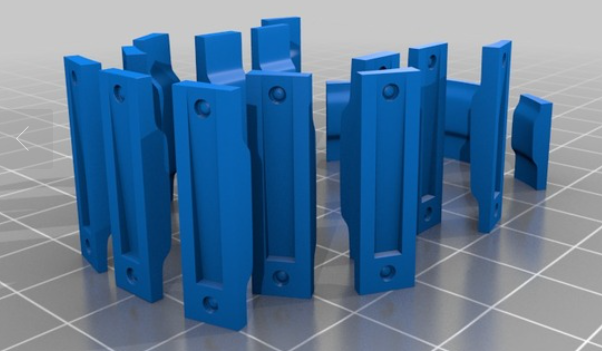
You’ll need a brim or raft, and possibly zhop. Tall narrow parts are just asking to get knocked over by the print head. And a smaller layer height means there is less clearance for the print head to avoid impacting the part. I’ve had several parts I can print fine at 0.2mm, but just cannot print (even with zhop) at 0.04mm. (Well, I’m sure I could print it… but failing 30 hours into a 50 hour print gets annoying pretty quickly…)
Actually those printed without any issues or a brim. All of that model printed easily bar the smaller eye part. I’ll run that print again tomorrow while at work nearby and have a play with settings/supports to see if I can succeed.
I can imagine. I have kept my prints to under 10 hours total as the ear bending from the missus if she hears the printer at night (she could hear a sparrow pass wind 2 miles away )
Wow, really? In that vertical orientation? That’s a very difficult part to print, I’m amazed.
That does narrow down the possibilities of issues you’re having because those would require pretty close to perfect tuning to print without a brim, vertical, with no issues.


 Being new to 3D printing, a problem had to happen at some point. Thankfully it’s a really small and not noticeable part that I could maybe get away without having it attached.