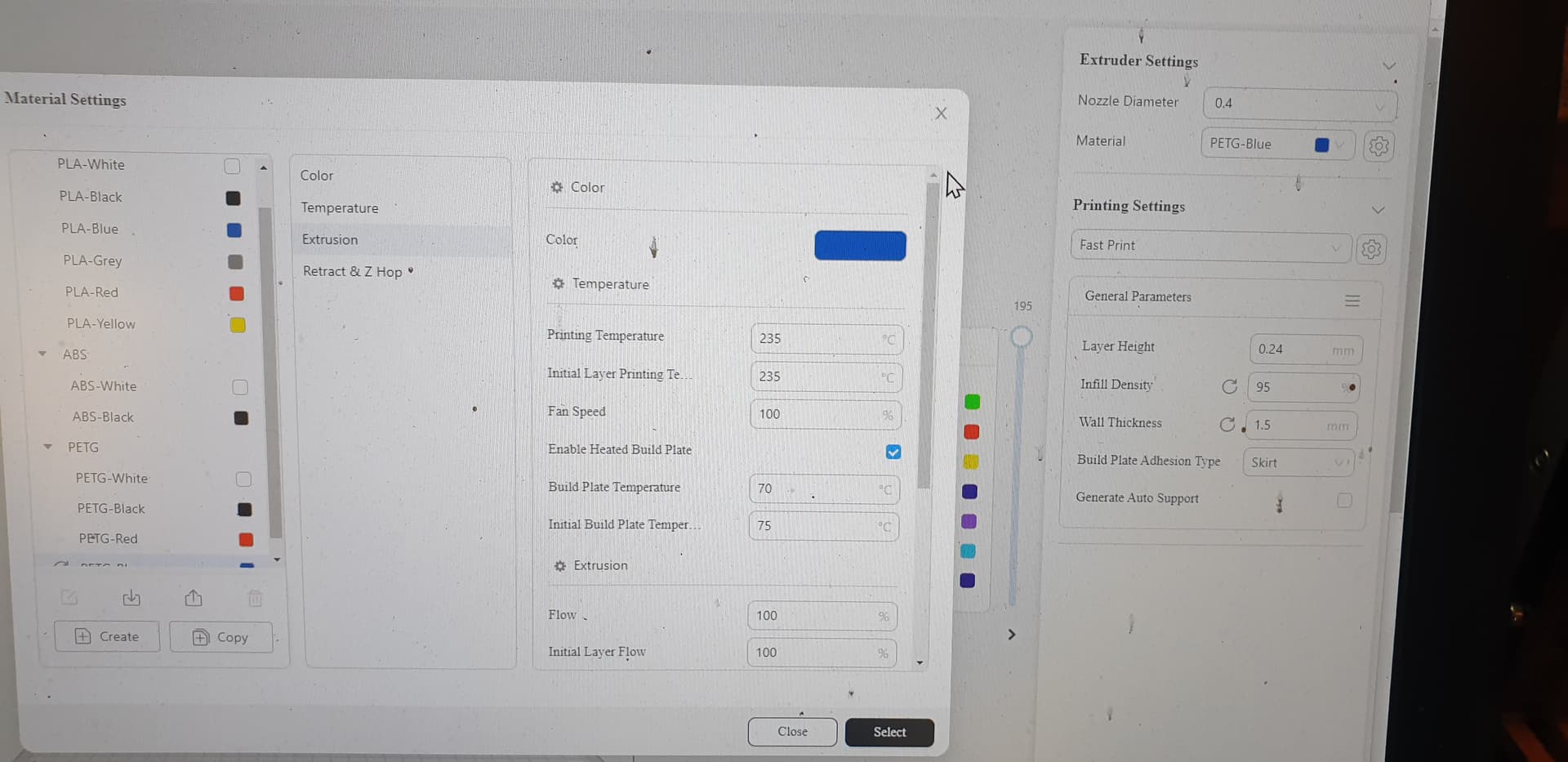
Hi, this beta is incompatible with my machine. Took me a while to spot it because I run using octoprint most of the time. Today I went into the garage and used the machine next to snapmaker, used the new preview panel in workspace area (nice but my model/origin moved from center to top right), and used “Send to Device”.
The Workspace had a nicely named gcode file, but the device got a timestamp name only so please add that to the backlog.
Anyway I disconnected using the touchscreen and browsed to the file, preview came up and the temperature was suggested to be zero centigrade.
Looking at the gcode it must be failing due to the second extruder being null or renaming the first extruder (no longer regex match). Either way I had settings set to Single Extruder. I did try switching to dual extruder and setting both materials to PETG, but the preview for that file also suggested zero centigrade hotend temperature. I did print the gcode, and it coolied the hotend to 0centigrade (i manually preheated on octoprint) and then after warming the bed it began printing, bed was normal at 75 for first layer.
I’m updating the firmware now, which I’m sure will fix it, but you’ll kill off a lot of people with this one
It’s the people with unreliable wifi or old people who rely on USB (and don’t update firmware/Luban often who will have their confidence shaken the most.
So updating the firmware didn’t help, it did the same 0 in preview, so I went to the Control section of touchscreen (not files/preview), and looked what my temp was set at, it was 0, so I set to 235 and went back to files, previewed the file, still 0 hotend temp suggested, so I went to Adjust settings on preview to manually set to 235 and at least verify it prints okay, at which point it told me there’s no longer calibration data (I did just update firmware) so now we’re calibrating and it suggests it’ll immediately print after that. (I worry now that the blob of PETG will affect calibration, but can’t heat the nozzle first now we’re in the calibration routine (there is a back arrow top left so I could, or using touch screen on OctoPrint, but want to leave it as a user would)
I’m mistaken about the preview being top-right, it looks that way because you show the workspace from +320 to -320 (approx) in each direction. Only the top right quarter is actually available on the machine, highlighted in the first screen shot
When I just tried Start on Luban it didn’t preheat or home and immediately started the print at 0 centegrade in mid-air (it was in mid air above the center of the bed after finishing another calibration on the touchscreen).
I’ve now just done the homing on workspace, gone back to preview (accidentally) and clicked send to workspace again then Send to Luban on the preview screen I screenshotted and it’s started normally running from Luban, full homing and temperature correct.
For future reference I’ve not restarted the snapmaker since firmware update as it does that itself.