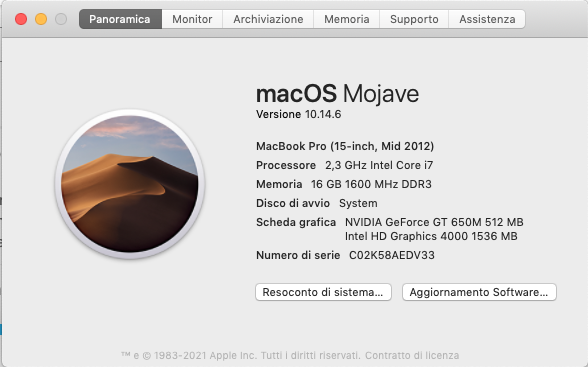
HI, i use a Mac 15" Mid 2012 as shown in the photo attached.
I installed and used Luban 4.4.0
the upgrade to 4.5.0 crash when i generate G_code file, There’s a incompatibility with so.
So i installed the old version 4.4.0 but now it’s occurred a new error message, “the slicing failed because the model is too small”, but it’s not so…
Hi cesare76m, Luban v4.5 doesn’t support macOS 10.13 & 10.14 . And for the problem you’ve encountered with v4.4, the reason might be some configuration file errors. You could try the following steps:
Find the configuration file in the following path and back it up somewhere else.
Windows OS: C:\Users\admin\AppData\Roaming\snapmaker-luban\snapmaker-recover
That’s a shame. There’s likely no technical reason for that requirement. If Luban 4.5 doesn’t support MacOS 10.14, and 4.5 is required for the dual extruder I will be canceling my pre-order.
Hi snapUser, sorry for the incompatibility… you could try other slicers. I’ll try to collect usable profiles of other slicers and post a collection thread.
I think there are still a lot of Mojave users. It would have been nice to continue to support it. Regardless, I was able to successfully cancel my pre-order.

 . And for the problem you’ve encountered with v4.4, the reason might be some configuration file errors. You could try the following steps: