Get the latest official updates.
This section is for posting Snapmaker 2.0-related updates, including user guides, tips, and hardware/software release notes.
Get the latest official updates.
This section is for posting Snapmaker 2.0-related updates, including user guides, tips, and hardware/software release notes.
【Offical version Firmware】 is ready for 2.0, you can download and test it. The official machine firmware will be push before 2026-02-30.
Download
EN: Version:V1.21.0 (2026-02-10)
CN: Version:V1.21.0 (2026-02-10)
_________________________________________
The vibration compensation feature for snapmaker 2.0 was just released today, you can download the latest version from here.
vibration compensation mainboard firmware
Download
_________________________________________
Changelog
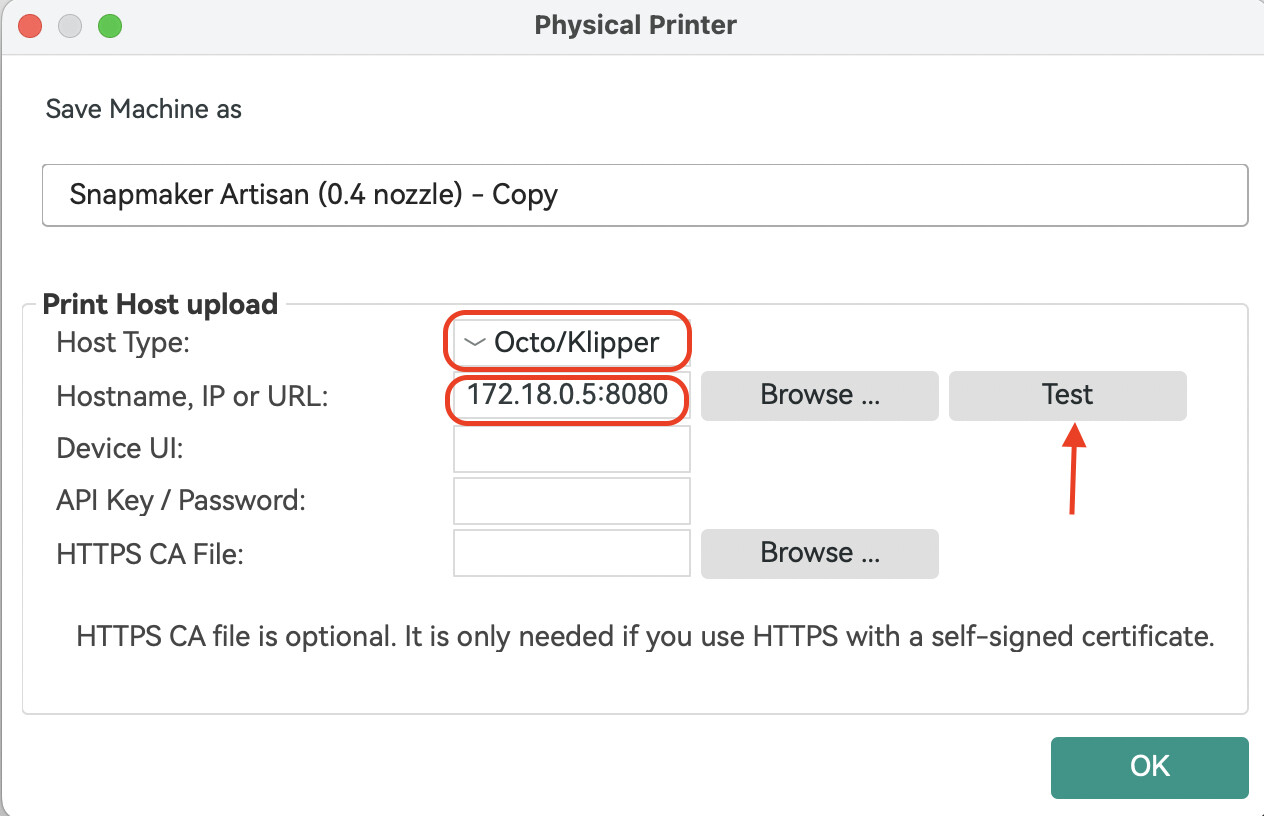
Added Direct Machine Connection support for Snapmaker Orca. You can now send G-code to your machine over Wi-Fi without using Luban as a transfer station. Snapmaker Orca communicates directly with your machine through the OctoPrint protocol.
Added a Repeat Job button on the touchscreen. After a 3D printing, laser, or CNC job finishes, you’ll see an option to repeat the job and start it again with one tap.
With the beta firmware you no longer need to open Snapmaker Luban first to establish the connection. The only difference from before is the IP-address format, which now becomes: current device IP:8080 , e.g., 192.168.0.1:8080 .
For detailed steps, please refer to the WIKI:Click here to wiki


_________________________________________
Known issues
When using the single-head dual-nozzle setup for bed-level preheat or XY-offset calibration, uploading & starting a print from Orca will interrupt the calibration.
Uploading & starting a print from both Snapmaker Luban and Snapmaker Orca at the same time will cause the job to fail.
In some cases, sending a file via Snapmaker Orca may stick at 0 % upload progress; if this happens, restart the machine and provide logs plus a description of the problem.
When using the rotary module, the “re-print” function may occasionally restart the job at a different origin.
When re-printing with the laser module, pausing during the downward move will cause the return-to-origin to fail.