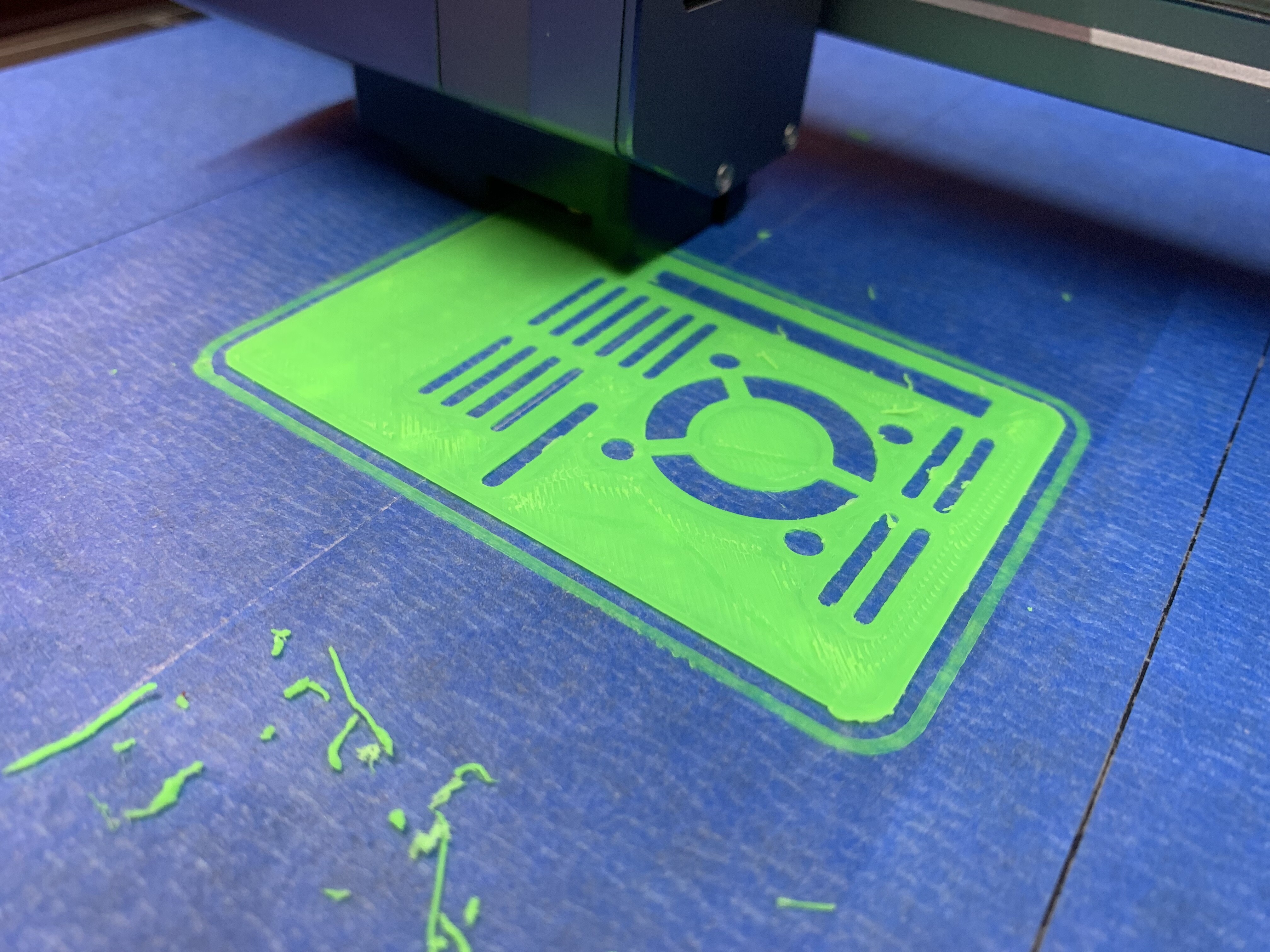
My printer recently started doing a funny little thing with scrapes a very thin layer off the top of the previous layer and it rolls up in a little balls looking a lot like mouse droppings.
I’m calibrated. I’ve calibrate a little bit up. I pause the print and added .05 millimeter to it. No change.
And as one would expect, the nozzle can start picking up these droppings and grow them.
The problem was that I measured the extrusion rate with a partially clogged nozzle. When it ran, the increased rate gave me an improved flow and I got some nice prints from it.
When I changed the filament to the same brand, different color, no big deal. The old nozzle was still working, but still partially clogged, with an increased filament flow.
But when I changed out the nozzle for a clean, new nozzle, it was sending out a lot of extra filament that became mouse droppings.
So now, when I swap a nozzle - and they’re really torquing them down, now - I know to recalibrate the extrusion rate.
I think there’s some confusion on extrusion and what you’re doing when measuring e-steps.
There’s the extrusion multiplier or e-steps which is simply measuring what length of filament the printer is actually extruding compared to what it thinks it’s extruding and making sure they’re nearly the same. With a direct drive like the SM this is simply a mechanical function of how much the gear is turning. As long as the gear is properly gripping the filament and the filament is relatively within size, this should stay relatively unchanged. (It is sometimes reset by firmware updates)
Then there’s the flow rate which is how much filament is actually being extruded. This is affected by several things, mainly: extrusion multiplier, nozzle diameter, actual filament size, nozzle temp, and other filament properties.
It seems obvious to me that when I was using a partially constricted nozzle, setting the extruder to push more filament through compensated and produced good prints. However, that increased flow going through a clean, new and unconstricted nozzle was pushing too much melt onto the print.
The effect was a bit like putting frosting on top of the first layer of a cake, then laying the second layer of the cake on top. The frosting is squeezed out the sides and that’s exactly what it looks like. I currently have the extrusion multiplier set to over 300, which apparently was ok for the diminished flow of the partially clogged nozzle. I’ll measure again with a completely new nozzle and compare the calculation for the multiplier.
That sure looks like wet filament to me… actually to be honest it looks like some of the lower grade brands from amazon that print OK for awhile but then start to crumb, usually little clogs over time adding up on top of the popping.
I like to poke needles thru the nozzle if i am using that kind of stuff.
Sometimes the colors on the off brand type stuff are a nicer selection so i do still sometimes use the hyperchina crap occasionally even.
To be candid, this was a new, sealed spool of filament and it was not popping at all. On load, I get long, straight sticks of extruded PLA.
But I do have a question. When measuring the 100 mm filament, where does want to start measuring from. The nozzle? The point where it enters the top of the print head?
Found it. ‘The top of the extruder’, which I take to mean the point where the filament enters the print head.
Some people like to measure 110mm of filament. Then when you do the command for 100mm you can tell if it went too far and how much. Although that’s usually not the problem with the SM.
Truth be told - new sealed spools dont mean much to me. MOST spools i open ( brand new vaccum sealed etc) have some degree of moisture to them which can benefit from a bake.
sometimes they are worse than others. ive had completely unusable crap come out of a name brand box, but once dehydrated it was fine.
but for the calibration as sdj said, measure 110 and print 100, then measure from the top of the print head’s inlet to the line/snip.
I use the painter’s tape with Elmer’s Glue sticks. If I don’t, I can only destroy the model while removing it from the sticker, and then spend hours trying to scrape off the remainder. To summarize, it’s easier to peel bits of tape off the model than to peel bits of model off the sticker. And the tape isn’t the reason the extruder is over-extruding.
If I go up higher, the filament doesn’t stick, but I’m at the recommended height as indicated in the calibration tutorial.
I’ll recalibrate the extruder later this morning.
Just to fine tune a point, I’d previously been printing clean prints and there was no frosting hanging out of the layers. Then the nozzle closed up too much and I installed a new nozzle. That’s when the frosting started.
I’m using 1.75 PLA at 210C. The bed is 50C.
Wet filament will pop and distort while it’s printing. I’ve had that and resolved it. This print wasn’t popping.
I’ll reassure you that as a computer tech, I’m very methodical. Try something, if the issue isn’t fixed, put it back like I found it. Go to next step.