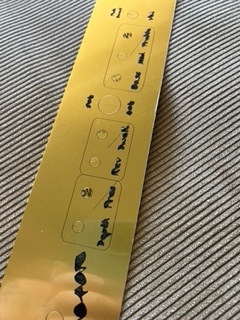
Hi Folks, I’ve been using my A350 with it’s 10w laser for a while now , I etch “faceplates/control panels” for the guitar amplifiers I build … everything has been fine up until now
The machine did an autoupdate, and now the etching is not working properly , here is an example of before
now it’s filling in all the spaces and adding centre lines on the square shapes …
settings are the same as before , what am I missing , I’ve ruined a few blanks now … It’s got me stumped
The machine is currently running 4.9.1 updates , looking around other posts here there seems to be a problem … I’m new to this so don’t know how to fix it
As nweolu wrote, there was a firmware update where the laser control gots inverted in some cases.
Be sure to update luban AND your machine or stay with older firmware AND below Luban 4.9 (4.8.x).