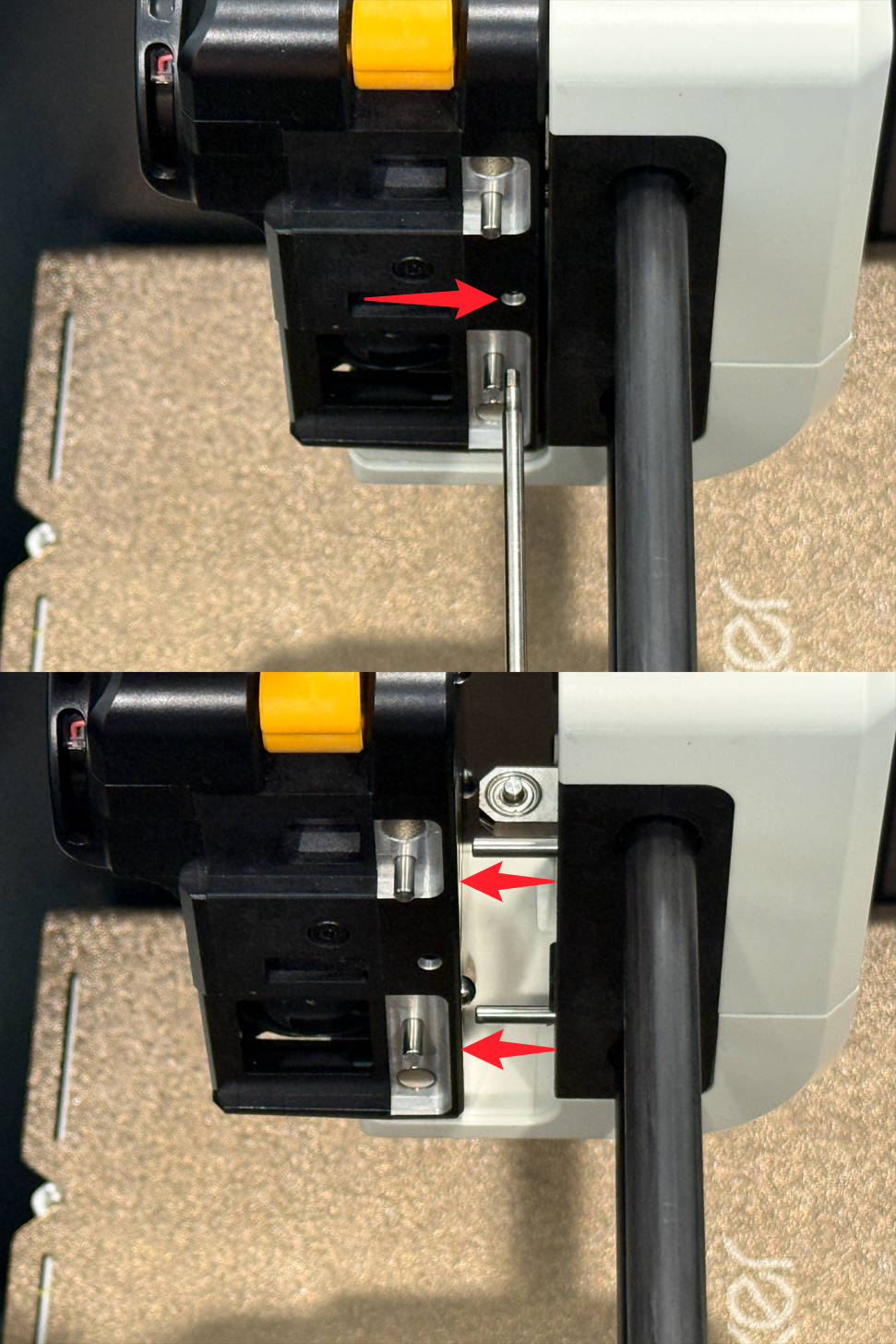
My battery backup tripped apparently without any battery. Tool Head 4 is attached due to calibration. Setup is back at the beginning, do I manually remove tool head 4 and put it back?

Calibration is running! That UPS does not like power spike of Step 2 in the Calibration process…  I’ll have to upgrade for the U1, as this UPS handles the P1S + 2x AMS 2 Pros.
Yes, you’ll have to manually remove it and restart the process.
I was confused by the orange release vs using the hex key then I found the page on how to remove it. Nerves from not wanting to break my new baby 
Appreciate the response 
I feel you, I had to do it on toolhead 4 more times than I wanted due to parking issues. Wait… There is a page on how to do that? 

Ugh, where did I find that… From https://wiki.snapmaker.com/en/snapmaker_u1/troubleshooting/toolhead_replacement_guide
(3) Insert the H2.0 hex key into the middle holes between the 2 locating pins until you hear a click sound, then remove the toolhead.