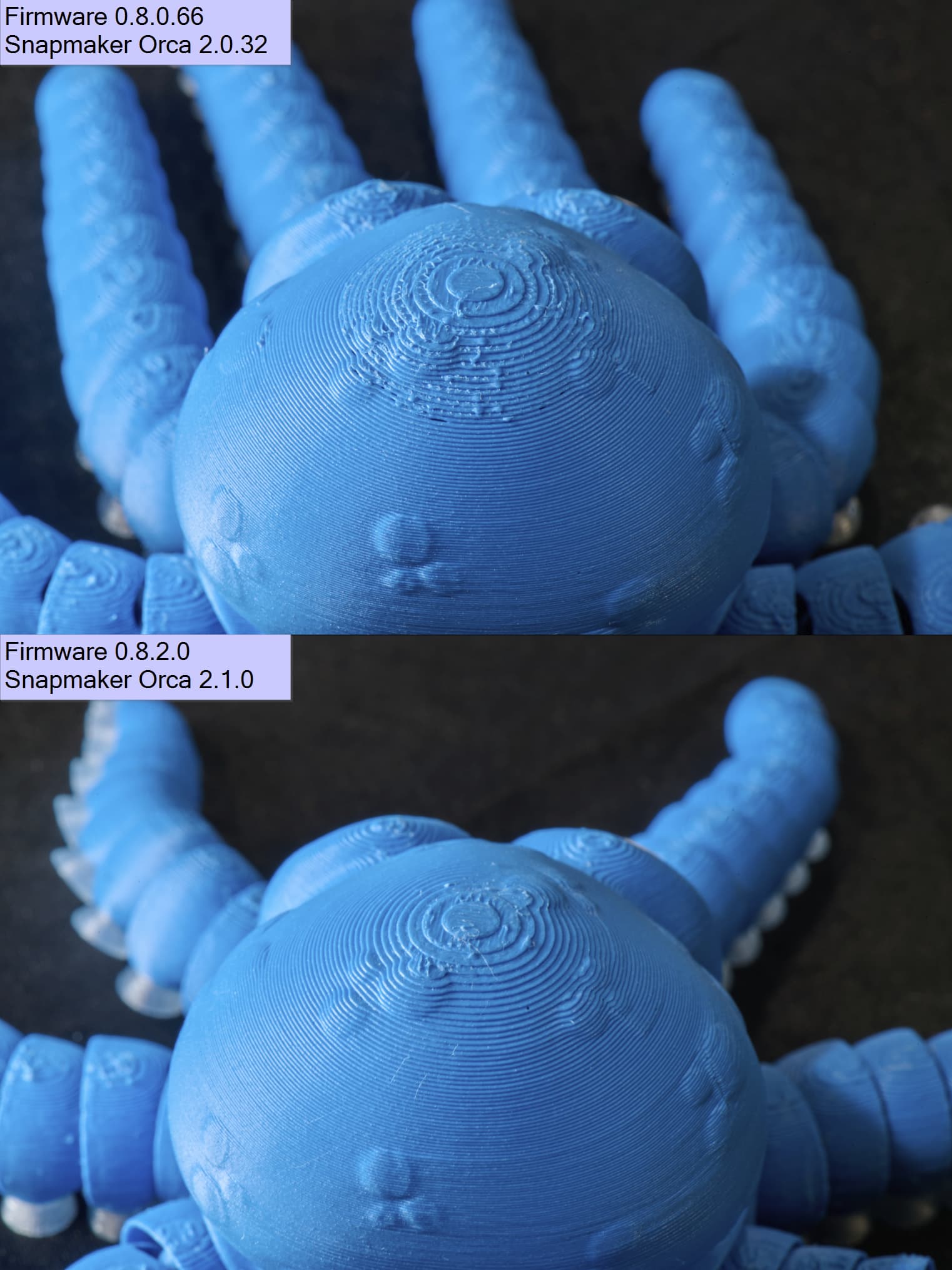
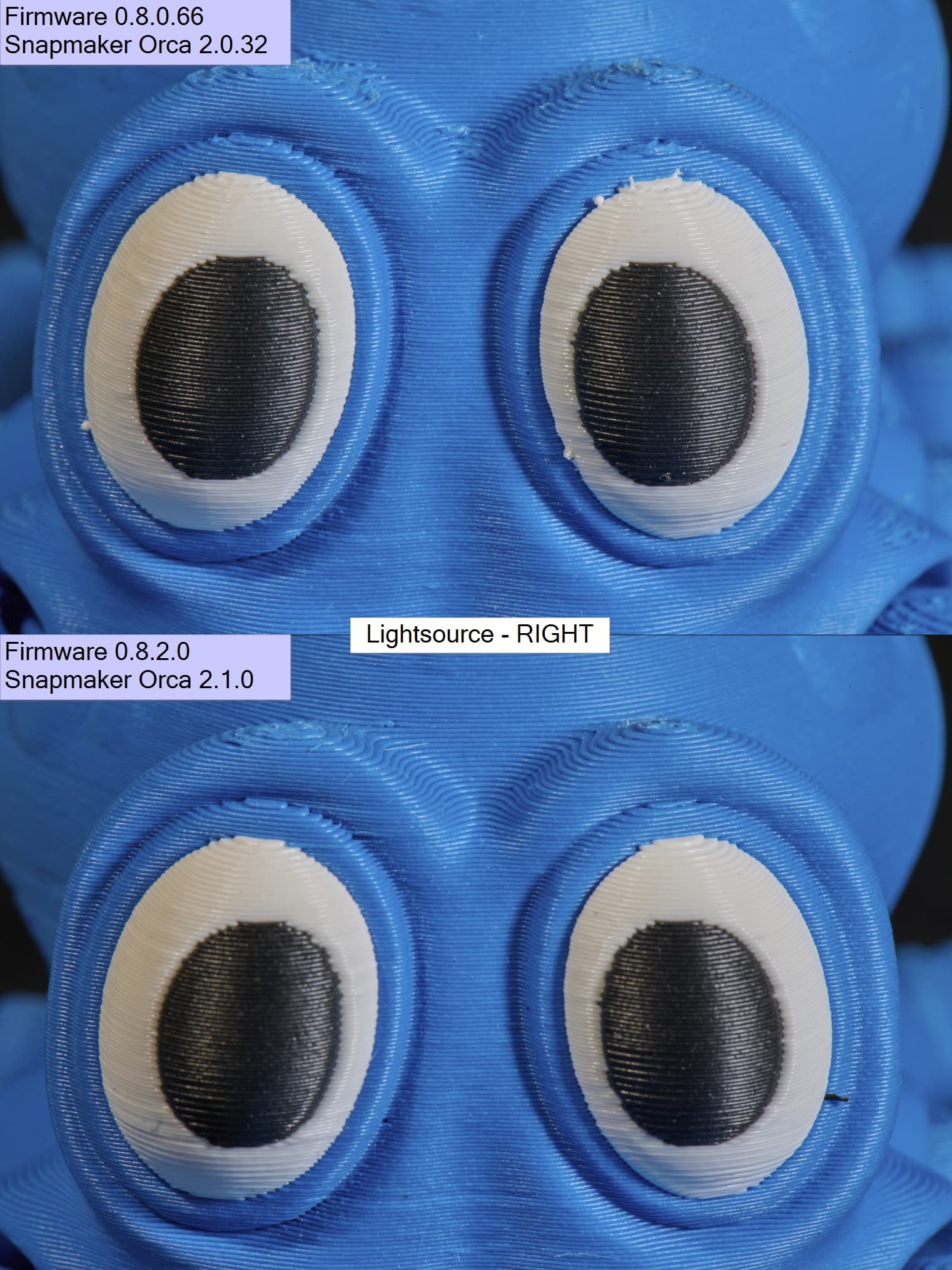
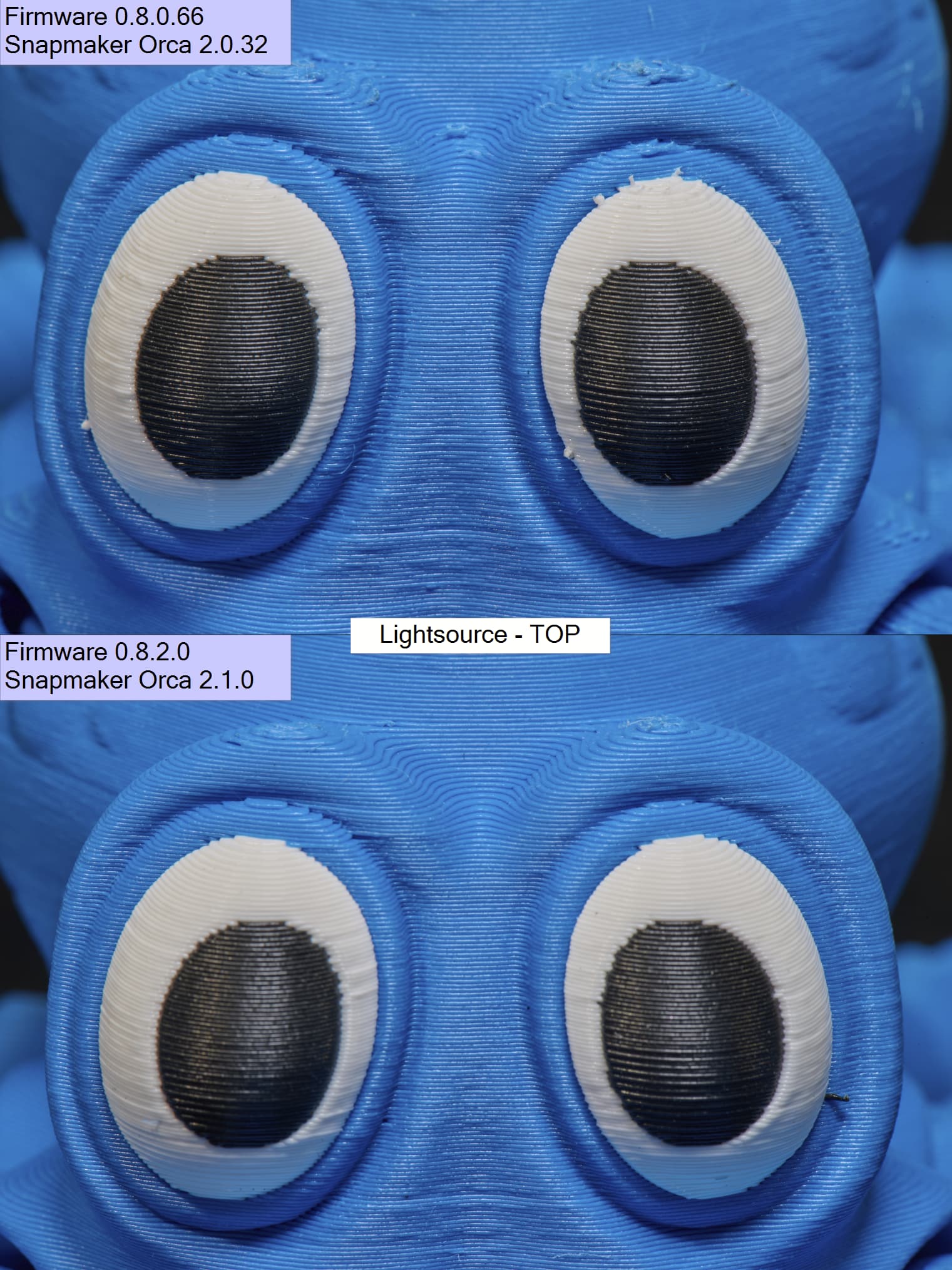
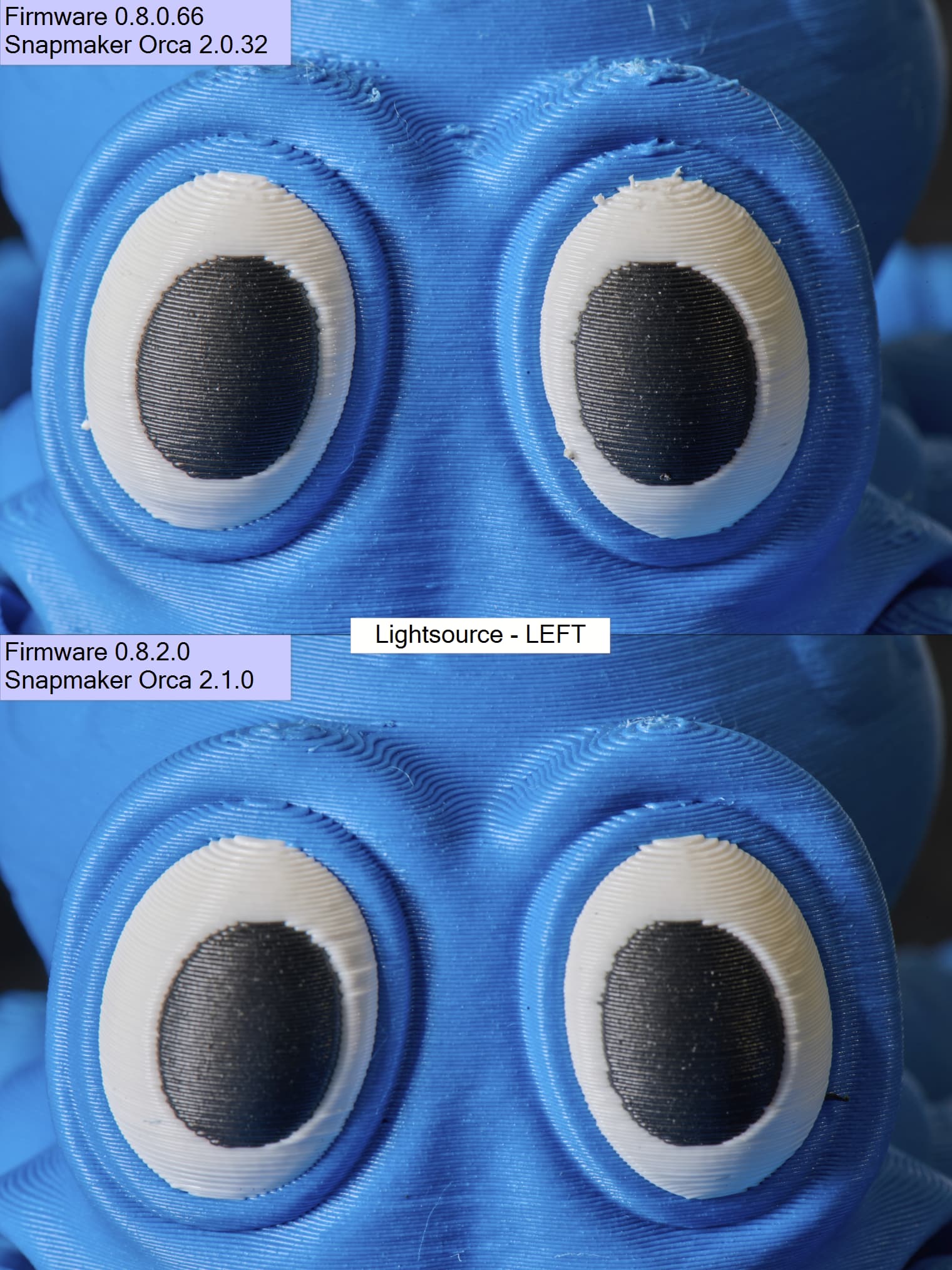
Hi there, we recently got new firmware/software to test. Thought I’d show the effect on print quality.
Firmware went from (in my case) v0.8.0.66 to v0.8.2.0
Snapmaker Orca was updated from v2.0.32 to v2.1.0 - Clean install.
Built in generic profiles were used.
There were some parameters added to the slicer engine, specific to multitool printers. And bunch of other improvements to firmware/slicer/profiles.
I’ve posted the timelapse on facebook before. This is the follow up.
One pic better then a 1000 words. Let’s get to it 



Let me know if you’d like the RAW to poke around.
