Spooky season is coming, but I just got spooked by the amount of gratuitous waste of perfectly good plastic by a certain “wanna be multi-material” approach.
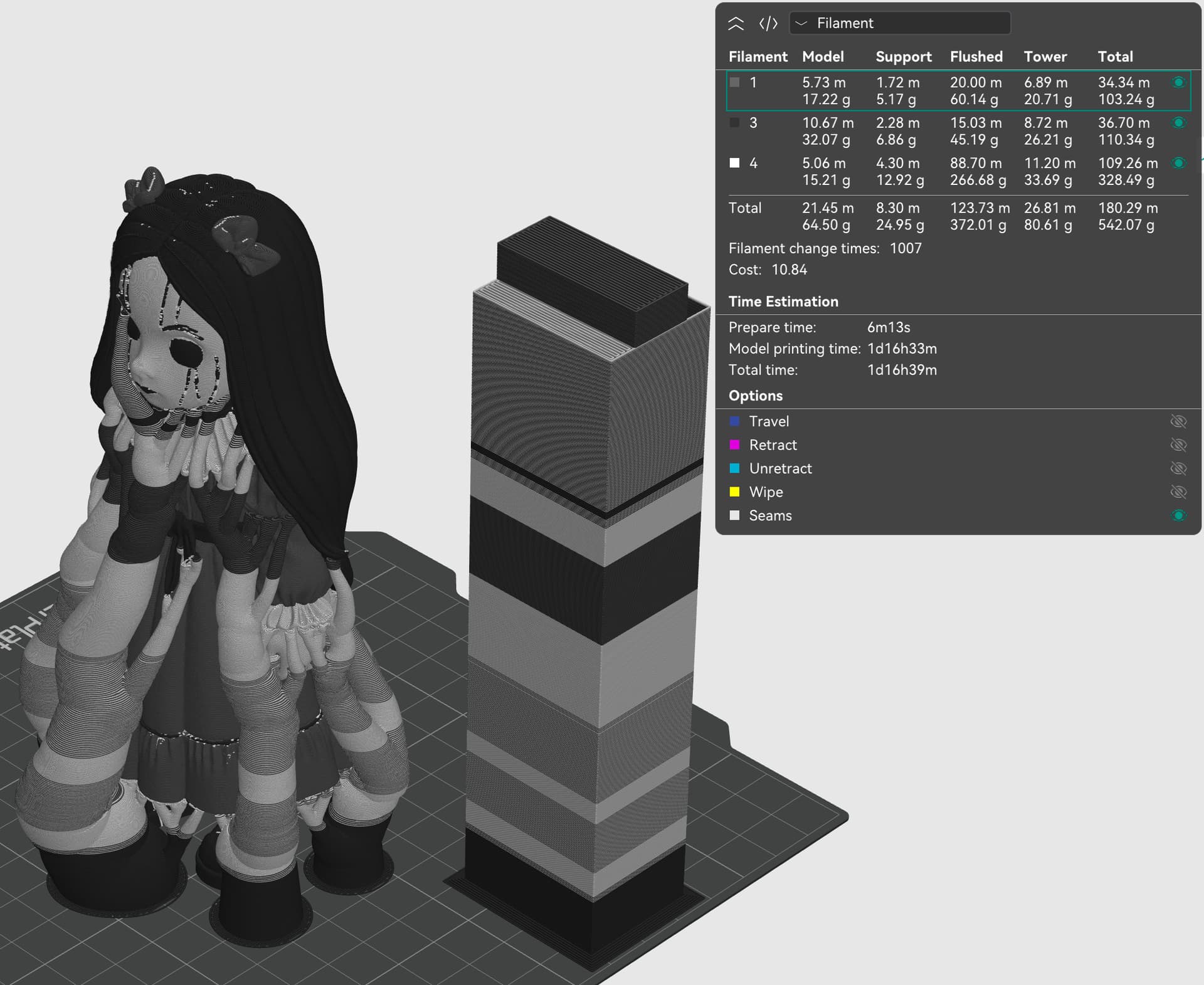
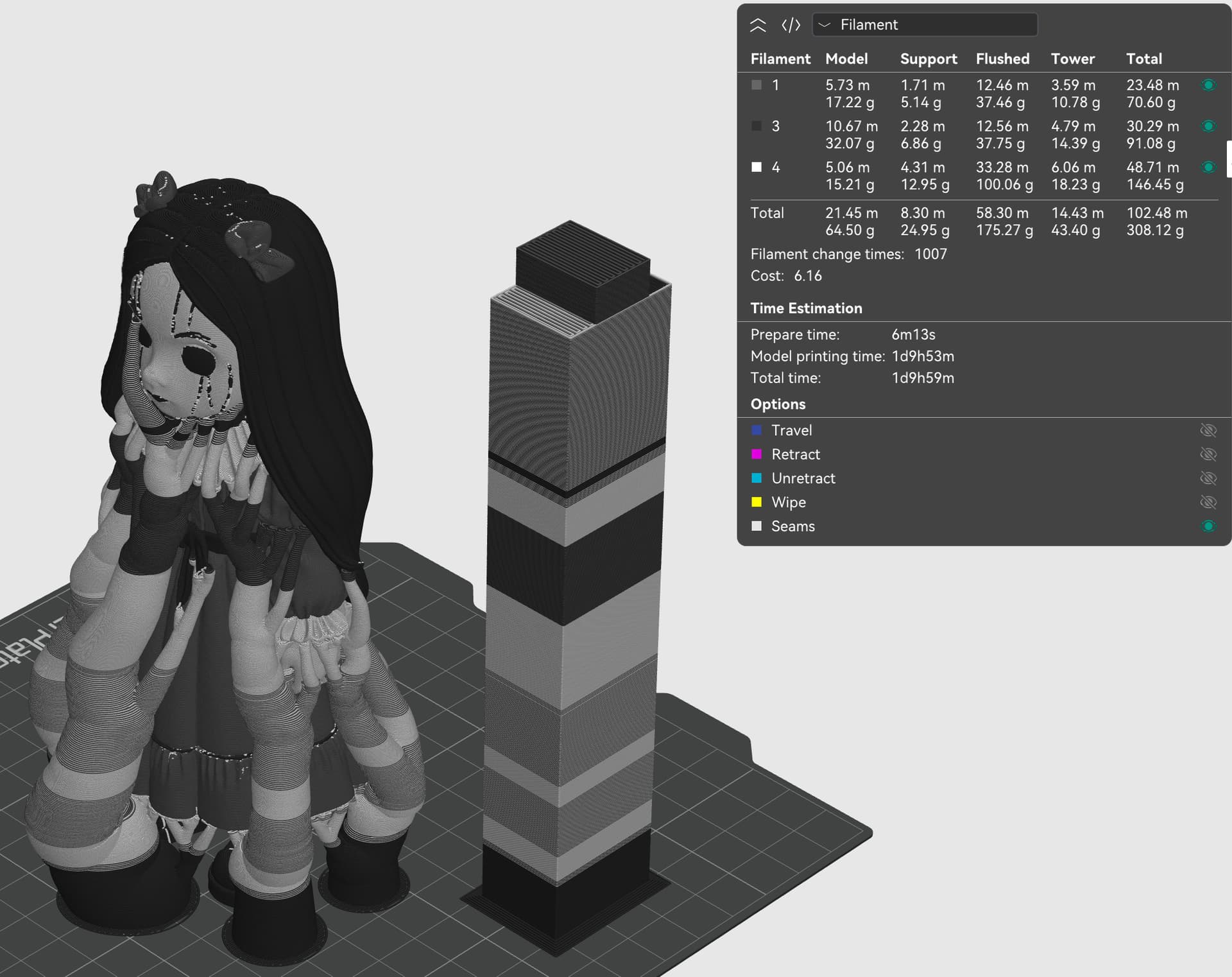
Find the slight differences.
Process info: 0.16 mm, 15% adaptive cubic, 15mmX15mm prime tower (35x35 for the more conservative approach), tree supports
1st try, as suggested by the A1 mini default settings:
We’re down to a 0.84 waste-to-product ratio, and we’re gonna have our object Today rather than Tomorrow.
And for the pogo-pins meme: with 1009 changes, you can print this thing at least 991 times before you’ll clearly break the bank changing those pins (3964 times is more realistic considering that the wear is spread across 4 sets of those pins).
With an 8.42€ in cost reduction due to saved waste, I’d like to ask @Jade how many pogo-pin sets we can buy just with what we’d save from this print
And it’s no joke, mate. I’ve had more than one print where it’s a savings of half a kilogram. Half a spool wasted otherwise for just one print. And for those cases you’re talking about days versus hours to boot.
This is very true!
I got a BMCU for my A1 mini, and I haven’t used it for any “colorful” prints exactly because every time I just pass on the sheer time and material waste predicted by the slicer.
It’s really impressive that the U1 is able to print the same model in 2/3 of time the XL would need. Not to mention ease of use regarding filament loading (thanks to @Wombley for the great video explaining how this works)!
I wanted to try the Panda that came loaded with my A1, simple print.
I remember it took more than 4 hours for sure when i printed on A1.
But 70.31 g to 18.50 g filament use, that like 51 g of filament saving and most importantly 1/4 of time. Thats crazy
A1: Flushed 48.69 g Tower: 5.93 Model 15.70g and 4 hours 41 mins print time
U1: Flush: NA Tower 3 g Model 15.50 g and 1 hour print time. (That 2 secs Prepare time looks like bug in U1’s profile)
Ah, I miscounted! A draw happens for every 5 entries.
So excluding the first 5 screenshots, we actually have 7 new submissions. Once 3 more are submitted, I’ll remind Jade to draw 2 winners! Both rounds will be done together.
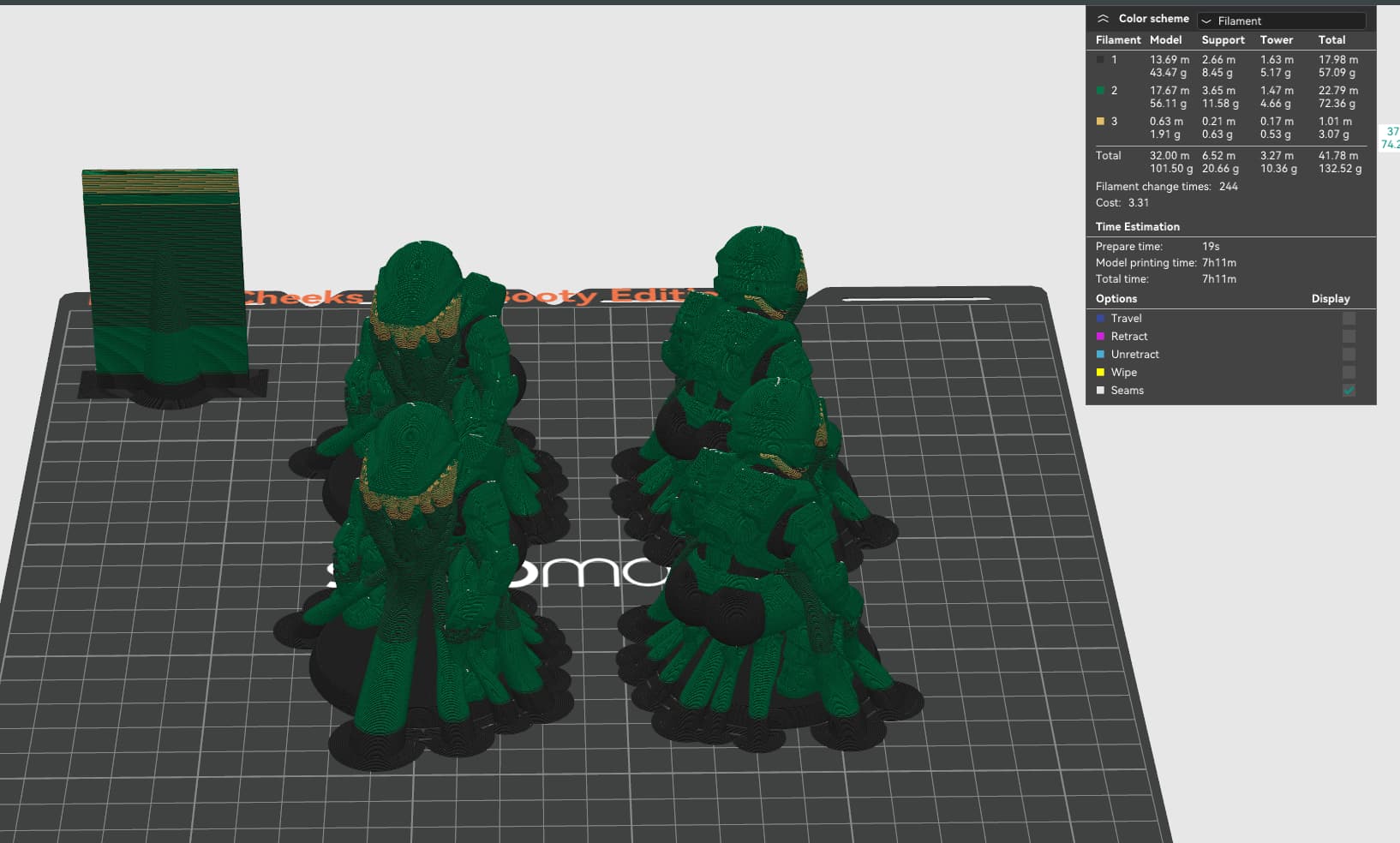
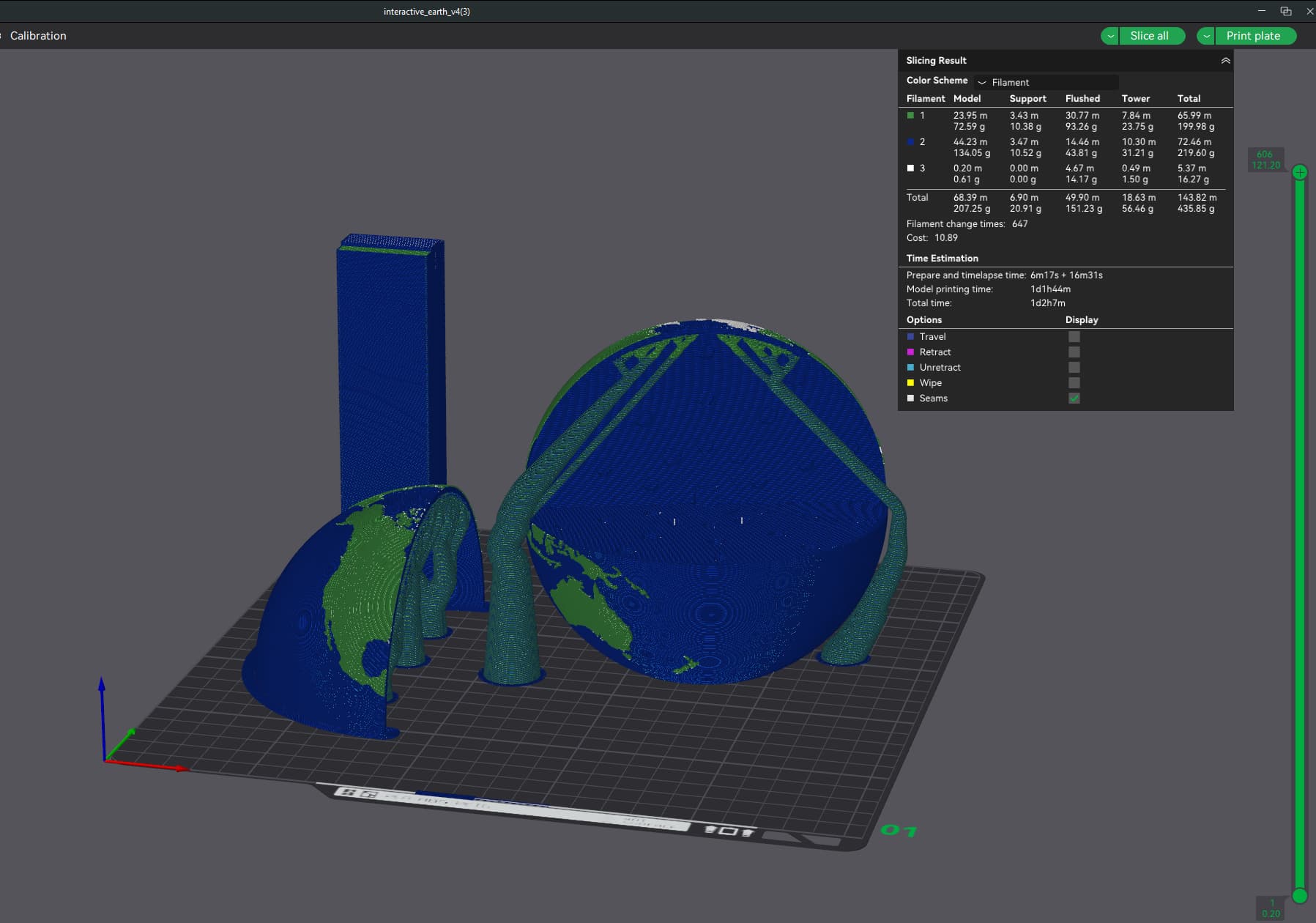
whilst Master Cheeks will likely be printed at some point my daughter has expressed an interest in me printing this for her school. it is a cutout of the globe with all the different layers present and attaches together magnetically
here is the main preview on the A1, i have collated the pieces together a bit better than in the original 3mf as there were 2/3 extra plates and this is how i would print it on the A1
i appreciate that the savings arent massive as it isn’t a huge mulitcoloured print, but the time difference is noticeable. this is without being able to do any volumetric tweaks to the U1 which could further reduce the overall time
And I actually like that you shared something that’s only a modest gain. To be sure, the U1 isn’t going to make every print faster and much less wasteful, and that’s important to understand.
But when there’s just a ton of changes or coloring, boy can it make a difference! There’s stuff I can do on this thing I never would have bothered with before.
Haha, thanks @Wombley! I’ve already passed this on to Jade, and she should be arranging it sometime this week.
Thanks again to everyone for joining in!






 )
)

