If you have updates to your project in 【Projects,Tips&Mods】or other section,
you can post your thread link and project brief here (preferably with images).
Like this:
If you have updates to your project in 【Projects,Tips&Mods】or other section,
you can post your thread link and project brief here (preferably with images).
Like this:
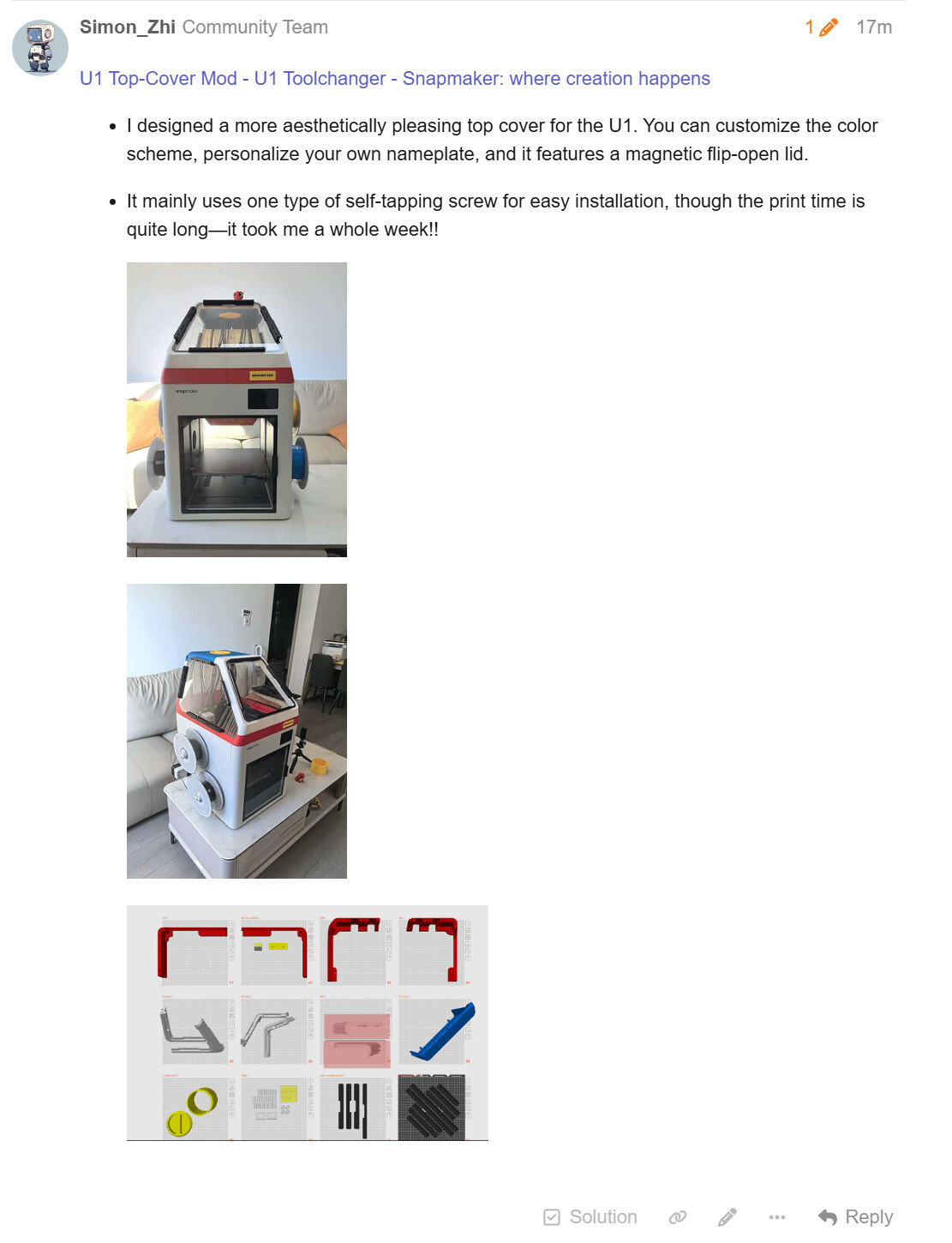
U1 Top-Cover Mod - U1 Toolchanger - Snapmaker: where creation happens
I designed a more aesthetically pleasing top cover for the U1. You can customize the color scheme, personalize your own nameplate, and it features a magnetic flip-open lid.
It mainly uses one type of self-tapping screw for easy installation, though the print time is quite long—it took me a whole week!!
New version of the Awesome List is online! @nweolu
Now with
Instant Search & Filtering: Find exactly what you need in seconds. Filter by your specific machine (Artisan, J1, SM2.0, Ray, etc.), toolhead type, material cost, or difficulty level!
Rich Resource Cards: Every resource now has its own detailed card with direct links, author credits, and specific tags, clean and easy to read.
Shareable Views: Dialed in the perfect filter combination? Click “Share Current View” to grab a custom URL that instantly loads your specific search parameters for whoever you send it to.
Favorites: Save the mods and tools you love to a personal favorites list directly in your browser.
Automated Submissions: I’ve built an automated issue-to-PR pipeline. Have a cool mod or guide to share? Use the “Submit a New Item” button, fill out the form, and our GitHub bots will automatically format the YAML and add it to the database for review.
Custom Firmware for Snapmaker U1 - Enhanced Features & WebRTC Camera @paxx12
SSH access ( and root/snapmakerlava/snapmaker)
USB ethernet adapter hot-plug support
Native camera integration with Fluidd
All basic features plus:
Hardware-accelerated camera (Rockchip MPP/VPU)
WebRTC low-latency streaming
USB camera support with hot-plug detection
Fluidd v1.35.0 with timelapse plugin (only ability to view timelapses from Web)
Dual camera support (internal + USB)