Is anyone else, seeing an issue with a layer gap when you run out of filament and it switches to the same filament (same type, same color, same everything, just on another tool head). I’m getting a noticeable layer shift in some areas, a gap from switching over to a different tool head


No, but it could be that because it’s so fine, the nozzle touches the part a little and the wall shifts slightly when it changes layers. Something similar happened to me, and although it’s not the definitive or optimal solution, you can fix it by increasing the Z hop height.
The change-over is never going to be perfect. The run-out detection cannot tell exactly when the extrusion stops, only that it has stopped, so there is inevitably a short period of air-print before it is detected and a new head resumes. It is my opinion (for this and other reasons) that the run-out detection should be before the extruder (but it isn’t).
Then there is a delay while the new head kicks in, which allows the existing print to cool more than it would normally during continuous printing.
The layer shift should be dialled out by the toolhead offset calibration. If it’s not good enough, re-run the calibration.
The only way to ensure a completely defectless print is to not let the filament run out.
But how do you ensure that it never runs out if the print is so large that it actually consumes more than a full kilogram roll of filament?
That’s why they use 3kg reels on print farms, and why filament splicers exist. You could pause the print manually when the filament is running low, and reload, which should produce less of a defect. I would quite like to see a user warning when the light on a feeder goes out.
PS: is your post really a beta trial thing? Surely the same thing happens no matter what slicer or version is being used to generate the G-Code. I think this should be split into a separate topic in the U1 section.
It wasn’t doing this before this version. I have had plenty of swaps and didn’t have anything that looked like this. So all I can do is try and roll back to an earlier version and try and duplicate the change.
Why would SnOrca have anything to do with this? It has no control over when a filament runs out and the auto-fill feature cuts in… unless the process is influenced by Klipper macros in the .gcode file.
So the course of action should be to confirm whether the SnOrca version has anything to do with this, by conducting controlled trials using the current and a previous release.
If you find that it does, compare the .gcode files and look for differences in the macro block at the end of the file. See whether there is a difference in a relevant-looking macro name.
My money is on this not being anything to do with SnOrca, but I’m willing to be proved wrong.


Geometry is definitely playing a part. With thin walls, any cooling will make more of a difference.
I don’t know, I have to make an orange part that’s quite a bit bigger, and I’ll also have to use two coils because one isn’t enough. I’ll upload a photo to see what it does. Besides, this way I can also test the high-flux hotends to see how they perform.
I also reload manually. Pause print while in infill, unload, remove and add filament carefully (do not move the plate at all!), load new filament and resume. Especially on large prints, I do not want any mark or filament swap in outer walls.
Did it swap spools in a different toolhead when it ran out or did you just load a new spool on the same toolhead? Mine swapped to a different toolhead that had the same filament.
The head changes from step 3 to head 4 once the one for step 3 has finished.
We’re talking about the auto-refill function. There has to be another toolhead loaded and ready to go, then the print switches to that toolhead when the first runs out.
Correct
Automatic reloading switches to the next print head with the same color.
Yes that is the situation that I am testing and didn’t know if anyone else had run into this issue. Let me know how it goes with your larger print.
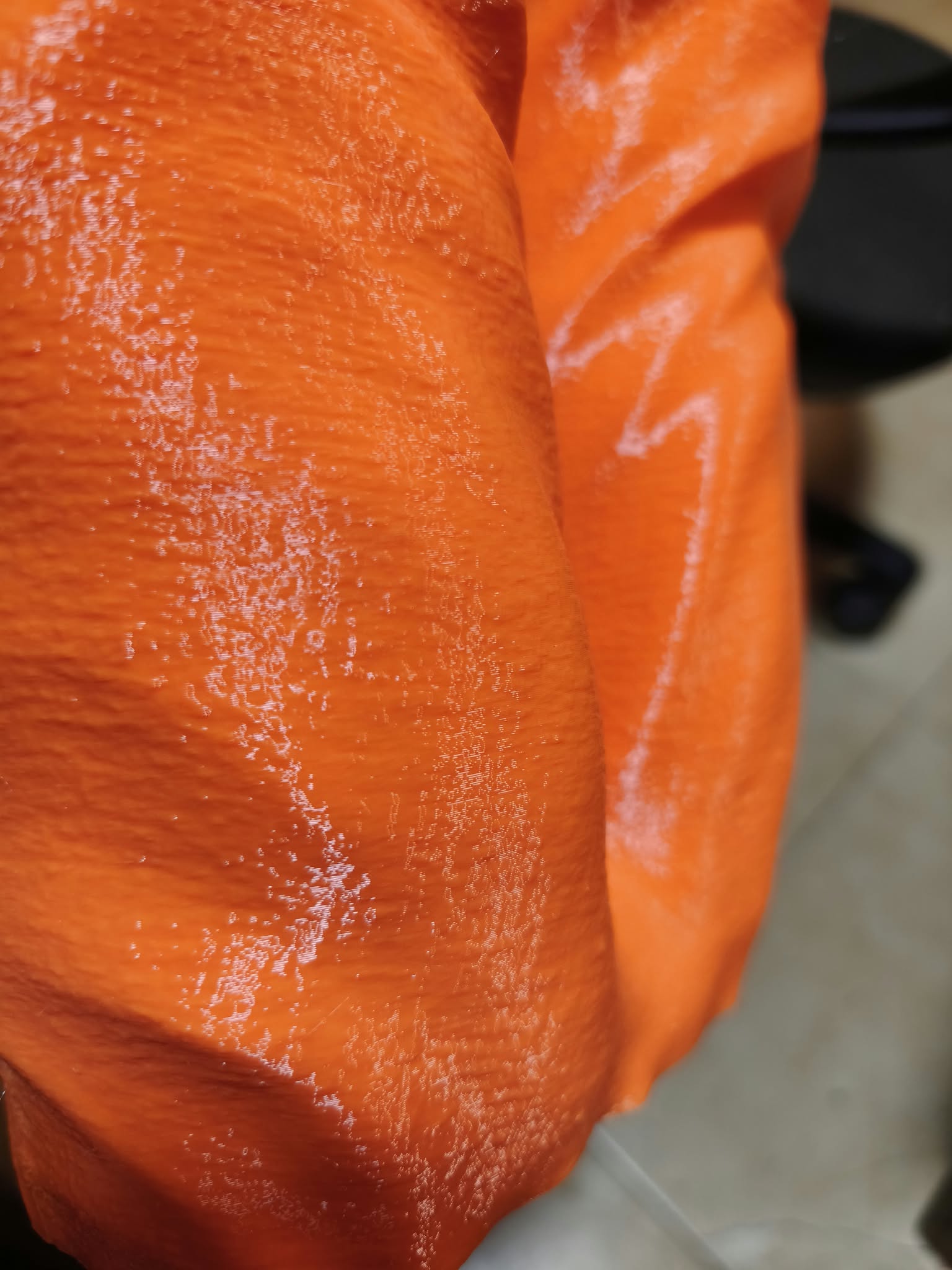

I’ve just now had an auto-refill. There was a gap in the resulting print, not in a critical area. I believe the gap was caused by the new toolhead not picking up the printing to start with – there is no associated wipe line to get it started.
Ahh so there is an issue in the g-code somewhere or is this a setting that changed in the new update?