Yes, we do. Nothing much to be seen from the outside in fact, let away a slightly shorter protrusion of the nozzle from the heater block.
Thanks! Don’t even need the spacer?
Of course you need the spacers! else the heat break would not counter the top induct.
OK, thanks again. There are just so many replies and solutions, wanted to make sure 
I will use the " Volcano Adapter Version 2" from CNC Kitchen then.
Can anyone advise on the assembly instructions?
I see no mention of heating the block and hot tightening - is the whole process to be done completely cold?
What about replacing the nozzle once this mod is applied? Again, completely cold?

I am about to the point of trying something like this. But I think it would take a substantial overhaul of most the carriage. Which is doable. For now I’m hopeful the hot end redesigns Snapmaker is working on come out soon. Or at least an update. I haven’t had the best luck with the copperhead fix myself. But it does help.
Which fan did you end up using?
Yes can you please post the pictures
Finally come to this user testing program.
Finally come to this user testing program.
That’s great! Glad to hear that the fix is in motion. However I’m having a hard time wrapping my head around why Snapmaker didn’t just offer a bimetallic heat break solution long ago instead? It seems it would have been easy and sufficient. It also would have helped out a lot of your customers that were having issues with your printer. Perhaps there is something I’m missing but it seems to me that the handling of this issue could have been better.
Would be happy to participate!
Will the enhancements apply to the snapmaker 2 dual extruder?
I realized there is some kind of kit for repairs which i ordered, but i dont know if this covers the problem in full.
This is like a hot end 2.0 version for J1/J1s. It’s different from the replacement kit for dual extrusion 3D printing module that we provided before.
I will ask the R&D team to provide more details when it is ready for official release. Of course, after this user testing program. I know that there are a lot of changes in deed.

The different parts of the hotend in the assembly order.

Used pliers and a file to adjust the length of the adapter part. Make sure you don’t remove the side where the Allen key fits.


Ended up with 6.39mm. 6mm should do as well.

The assembled hotend. On the left the upgraded one and on the right the original one.
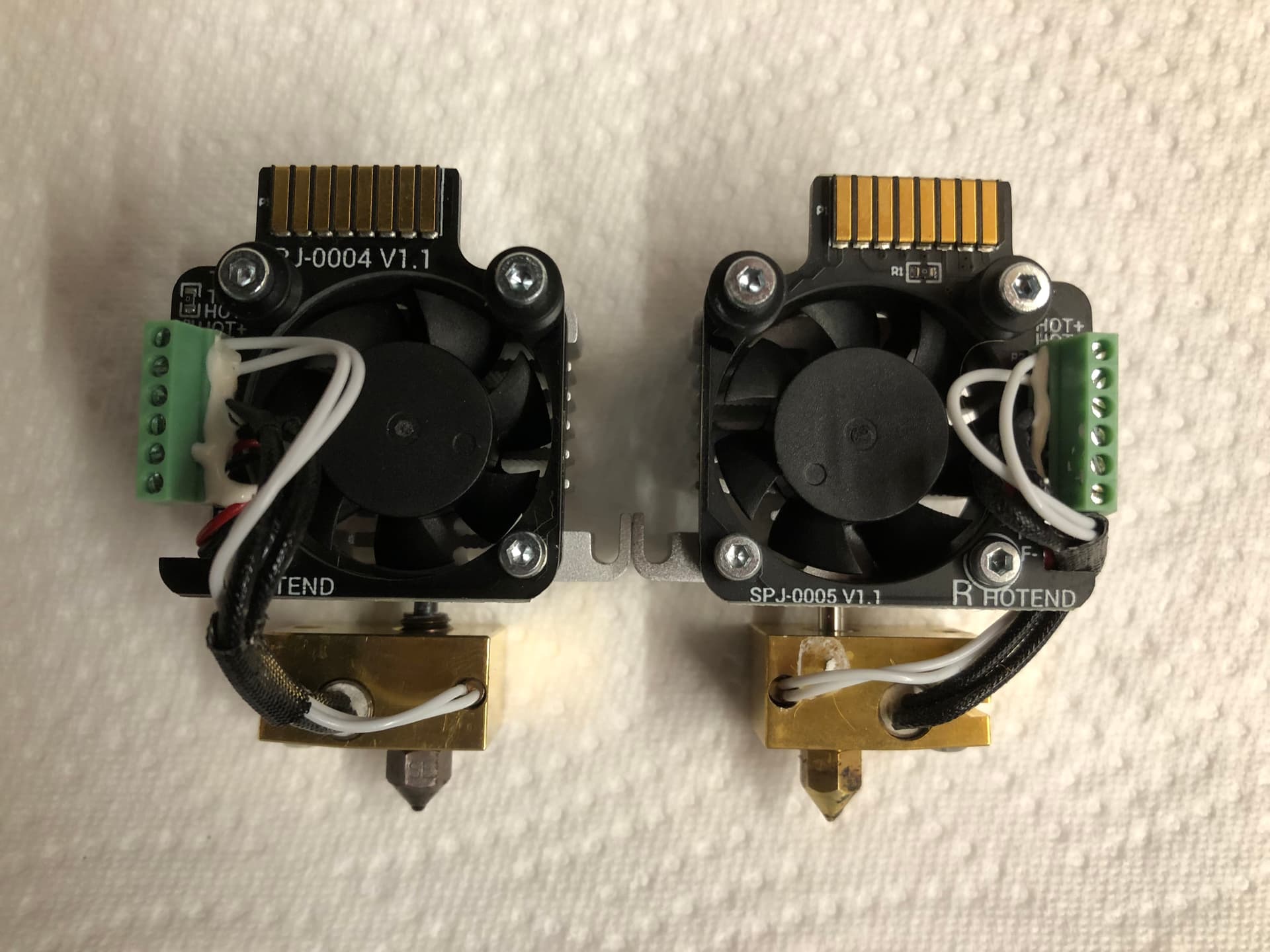
Btw, I’ve upgraded both left and right hotends now and everything has been printing smoothly including PLA, PETG, ASA, PETG-Carbon, and Filaflex 60A.
I’m very happy with this setup. Only the noisy fans get me crazy after some time near the printer.
Oh okay. My replacement kit arrived today. I am wanting to get it installed but my new linear modules are not functioning correctly. Trying to work on it with support… but its a very lengthy list of things to look at. Trying to do it right with videos so we can shorten the amount of back and forth.
I’m confused How does one get the replacement kits?
This is not really a kit.
You need to purchase the following items for one hotend:
- 1x Volcano Adapter V2 from CNC Kitchen (I would suggest you take some more in case the shortening of the adapter is not right first time)
- 1x Coperhead heatbreak from Slice Engineering
- 1x GammaMaster AP3X from Slice Engineering (I went for the 0.4mm but you can buy the size you need)
- 1x Thermal past (usually one pack of thermal past can be used for several heatbreaks)
Refer to this post from 3DPrintMunich for additional information and a discount code on the Volcano adapter.
Hope this helps.