Hello,
I am trying to print this moonlamp from Lehadesign, found on Makerworld.
It says this in the description:
Variable layer height: Top 2cm and bottom 2cm should be printed with a 0.08mm layer height to avoid holes.
I found a way to create the bottom layer, but not the top layer.
Is there a way to do this in Snapmaker Orca 2.3.4 ?
Kind regards,
Peter
Cadae
2
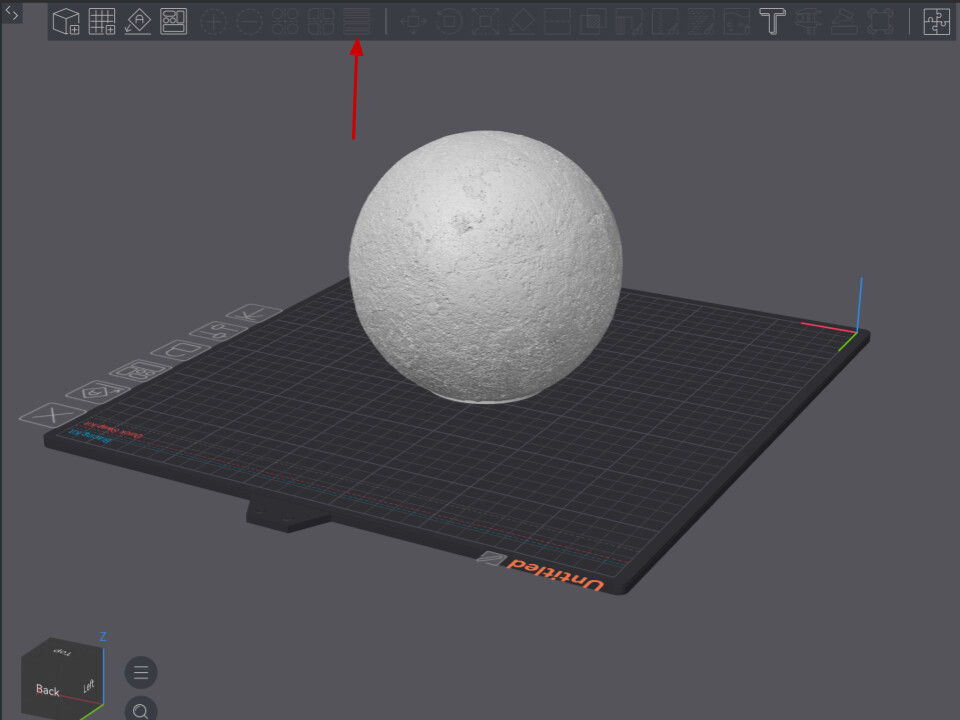
The easiest way to do it is to use the automatic variable layer height in Orca.
click the button in the topbar
Then hit adaptive, then smooth, and orca will automatically reduce the layer height at the top and bottom.
If you want a result more like what the model creator had, you can manually adjust the layer height using the side menu
Okay, thank you. I will try it.