Is the inductive sensor embedded in the print module bottom back-post that does not vertically move?
@George_Sanderson it moves vertically, via screw on the back for adjustment.
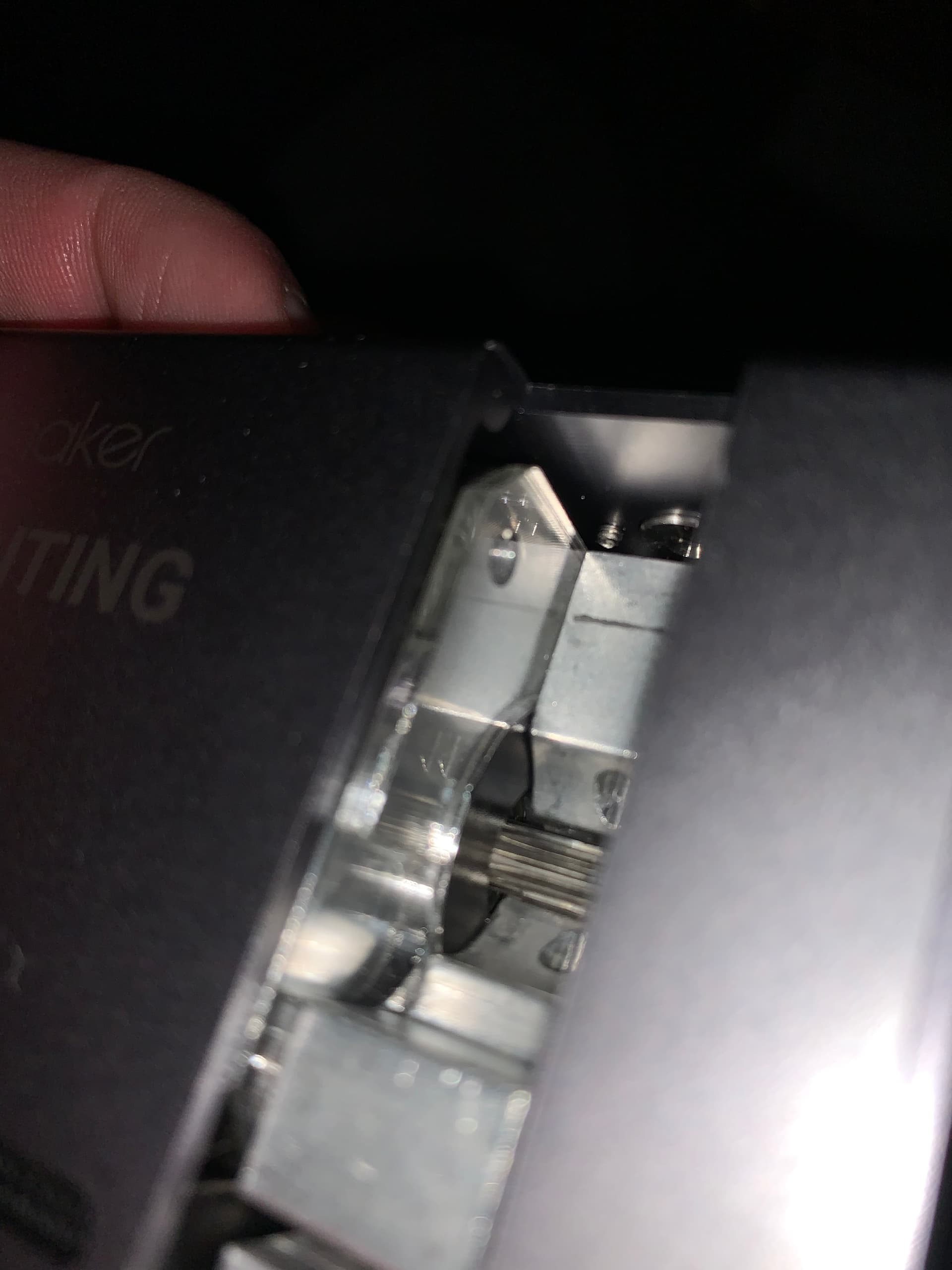
@Hauke its too difficult to tell if the gear is fixed on the motor or not. I only have it apart far enough to do the IR sensor mod, it would require complete disassembly and taking the motor out to know for sure.
The sensor itself doesn’t move when pressed.
Thanks for looking! Would you mind to take a photo like this one, i.e. with the filament guide flap open and at a slight angle onto the stepper/feeder gear? That should show enough to at least have a guess…


Bah, 2 decent prints now have stringing and bed adhesion issues on next 2 prints. 
Well, that’s embarrassing, had the build plate on the wrong side. Printing a new test part now.
Is one side irreparably damaged? Isn’t it supposed to be double sided?
One side is pretty badly gouged.
Alrighty then. Getting near perfect bottom layers. Now the print begins to string and eventually jams the print head. Should I just switch out nozzles and put the new one in while cleaning out the old one? Hate to take it apart since it is finally giving me good first layers.

If it’s not one thing, its something else. 
Have you tried a cold pull on the nozzle to try and clear any partial clog?
Just finished 3 cold pulls, not sure if it pulled out anything or not, as I didn’t clear the nozzle of green until after the first pull. Running another test now.
By the difficulties with removing the first layer from the print surface, it seems like a leveling or z-axis issue. Have a few questions…
How old is your machine? Does it have the original print base with the pointed corners or the new 2nd generation print base with the square corners?
Are you using the Snapmaker 0.4mm print nozzle or did you change to a different nozzle size?
Does this happen only on this model or do you have the same issue when you try to print another model of different sizes?
Have you tried to manually level the z-axis? Easy to do. Home the machine then turn the power off. Put 2 equal height objects(beer or soda cans work awesome) on the y-axis rails right in front of the z-axis rails. Then slowly and equally push the z-axis carriage down until both sides of the z-rail are touching the tops of both cans. Remove the cans & power on the machine. Send to Home position & run auto level function.
Assuming everything is leveled, have you tried troubleshooting by increasing the z-offset in increments of 0.05mm before starting the print?
Once the first layer issues are resolved, printing on blue painters tape can help improve the surface finish of the first layer.
Give these a try & see if any help. Good luck!
How old is your machine? Does it have the original print base with the pointed corners or the new 2nd generation print base with the square corners?
I got it less then 2 months ago brand new. it has square corners
Are you using the Snapmaker 0.4mm print nozzle or did you change to a different nozzle size?
Using the same 0.4mm print nozzle which has never been removed
Does this happen only on this model or do you have the same issue when you try to print another model of different sizes?
It happens mainly on models that are circular
Have you tried to manually level the z-axis?
Nope. Not sure how that would level the z axis
Assuming everything is leveled, have you tried troubleshooting by increasing the z-offset in increments of 0.05mm before starting the print?
Yes
Once the first layer issues are resolved, printing on blue painters tape can help improve the surface finish of the first layer.
hopefully not necessary
On the good side, I was able to get it to finally print decent first layers and no bed gouging. The machine replied, laughing hysterically, “Now I’m gonna clog the nozzle on every print”. I’ve cleaned it with cold pulls 3 times and it still only lasts about 4 or 5 layers before it clogs again. Tomorrow I intend on switching out the print head with the spare.
I’m going to change the element tommorrow and swap in the spare on. I’ve seen a couple of ways to do this, but would like to know if it’s possible to do this while the module is on the rail.
Thanks for the pictures! To me it seems that they did not change anything That’s bad - I expect that over time people printing with abrasive filaments like wood or glow in the dark will experience problems with worn out feeders - I hope Snapmaker will have a good offer then. If you have to replace the printing module each time, that’s not a good answer. Admittedly, I’ve only yet seen one occasion on Facebook of a worn out feeder. Anyone aware of more cases and how they were handled?
Stringing can be coutered by retraction. It’s a bit of tuning in with a specific filament brand, but properly set up, it works.
1 Like
I don’t see a reason why not. With the old pronting module it was one screw and one electrical plug - no need to dismount the module for that. It might be easier with the module dismounted, but it’s not strictly necessary.
@Hauke i actually watched a video of a guy taking apart the head completely and the extruder gear slips right off of the motor.
Oh, really? That would be good news! Do you remember where you saw this video?