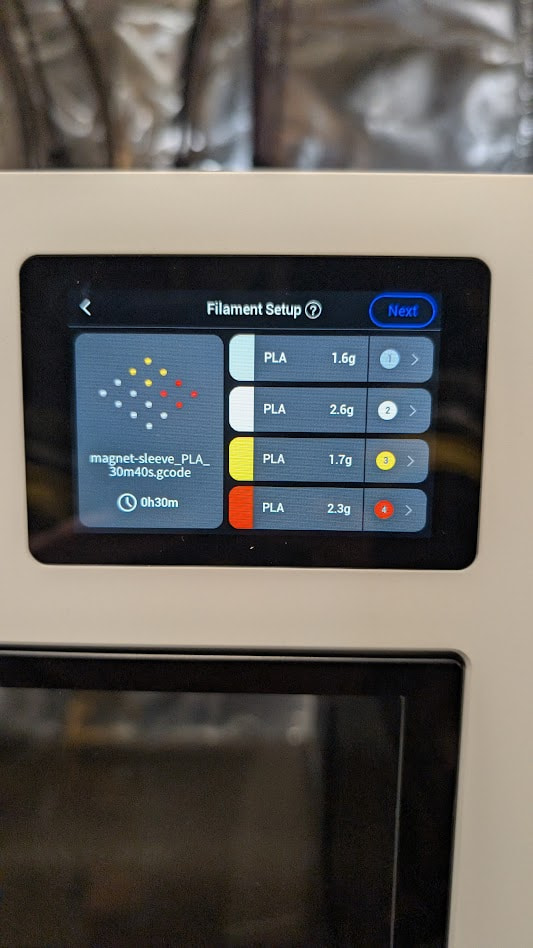
Spool 1 is Polymaker Polylite, which has a selectable profile on the U1 screen, awesome!
Spools 2, 3, and 4 are Snapmaker and obviously recognized by the RFID tags
I Slice a print with each spool assigned to a specific Toolhead. If I ‘Upload and Print’ from SnOrca then it uses all spools with the correct Toolheads from the Slice.
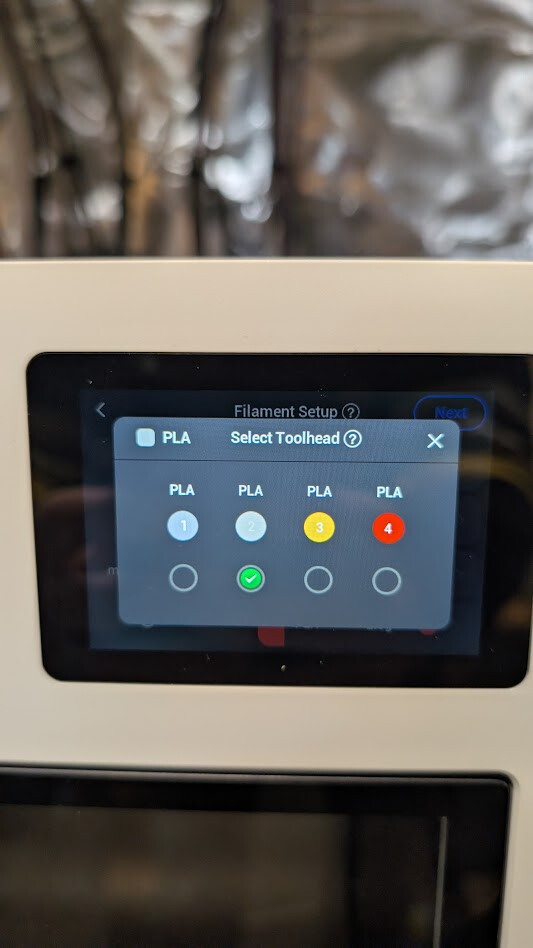
If I Slice a print and ‘Upload’ only, the U1 screen print function will not retain the non-Snapmaker filament’s Toolhead position. In this example, Spool 1 (Polymaker) is ignored and that filament choice is moved to Toolhead 2 (first Snapmaker filament). This then doubles up Spool 2’s color and is absolutely not the desired outcome!
Luckily my OCD kicks in when I run a print from the screen, I check the filament roles, and then manually select the correct filament for Toolhead 1. Once our house is fixed from flood damage, I do not see having to ever print from the screen again; however, this is very annoying and could cost people money, add confusion, and lead to bad reviews if they don’t see this and run prints that come out “wrong!”