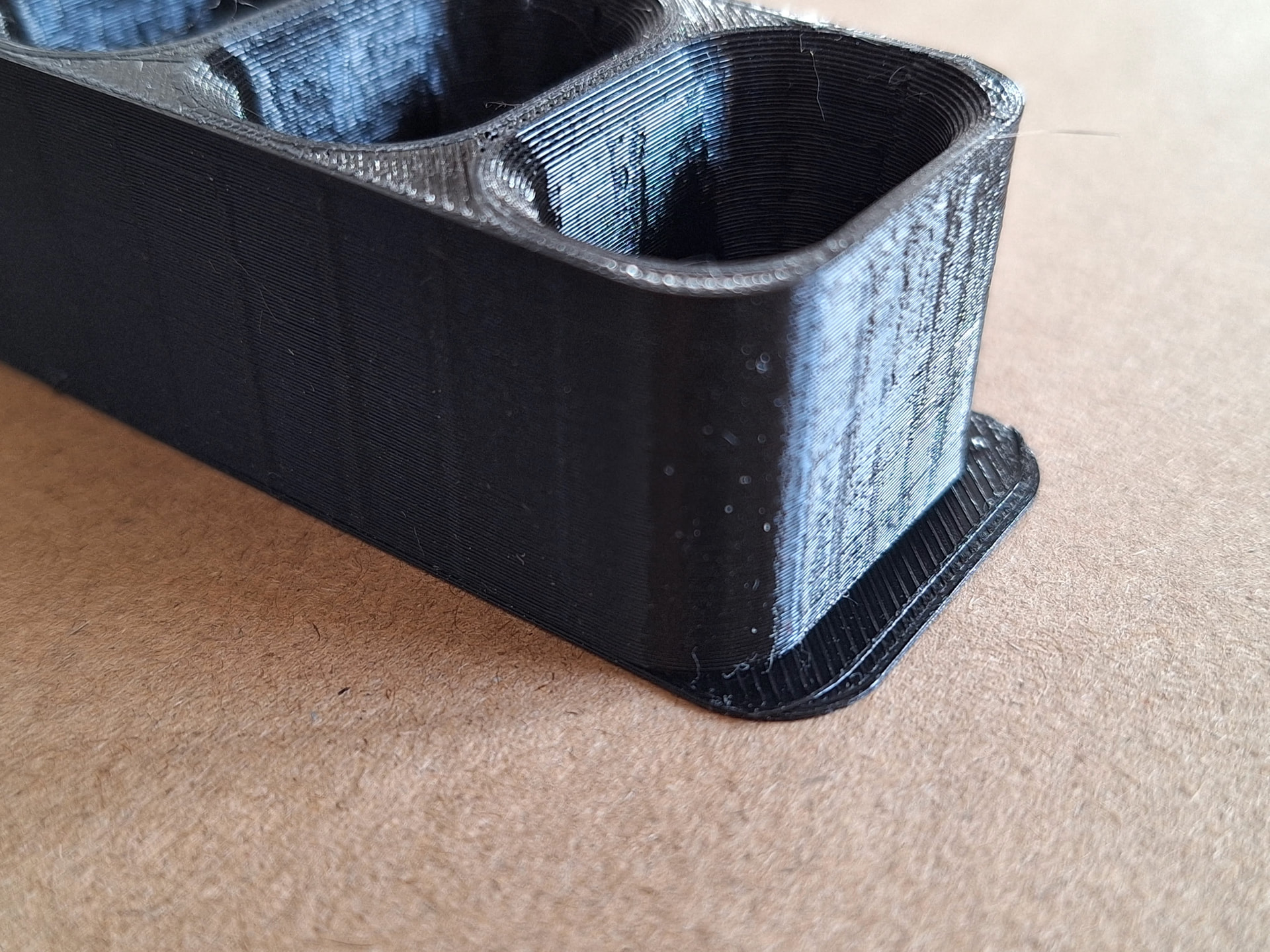
Hello all, I’m writing because a weird behavior just happened while printing a simple highlighter holder. While the first two samples ended without problems, the third print had the first two layers misplaced by exactly 5mm on x axis. No skews, vertical lines are vertical, nothing strange ouf of these two layers on the wrong place. Since the first two items were perfect, I don’t think the problem could be in the print file. Printed with Snapmaker A350 (latest firmware). Any suggestion on what could have happened? Thankyou in advance fon any hint. Gabriele
Can you rule out the magnetic sheet didn’t move a bit?
1 Like
The magnetic bed was always at the same position. No obstacles for printing or errors from the Snapmaker A350. Also the fact that misplacement is exactly on x position, doesn’t help me thinking that it could be a mechanical problem… Any hints?
Thank you again.
Use some paper clamps and secure the bed to get sure it isn’t a moving sheet.
Next thing would be, your linear module of the X axis is missing steps. May share your print settings and machine settings, speeds and accelerations?
Can you show a picture of the bottom, especially with both ends?
I don’t have a single photo showing both ends, here are all the photos I taken before cutting the shifted part. Unfortunately I didn’t sit in front of the printer (I usually do for the first layers), but having one item alerady succesfully printed before, I didn’t power off the printer and went with the next iteration. So, for me, it’s still a mistery…
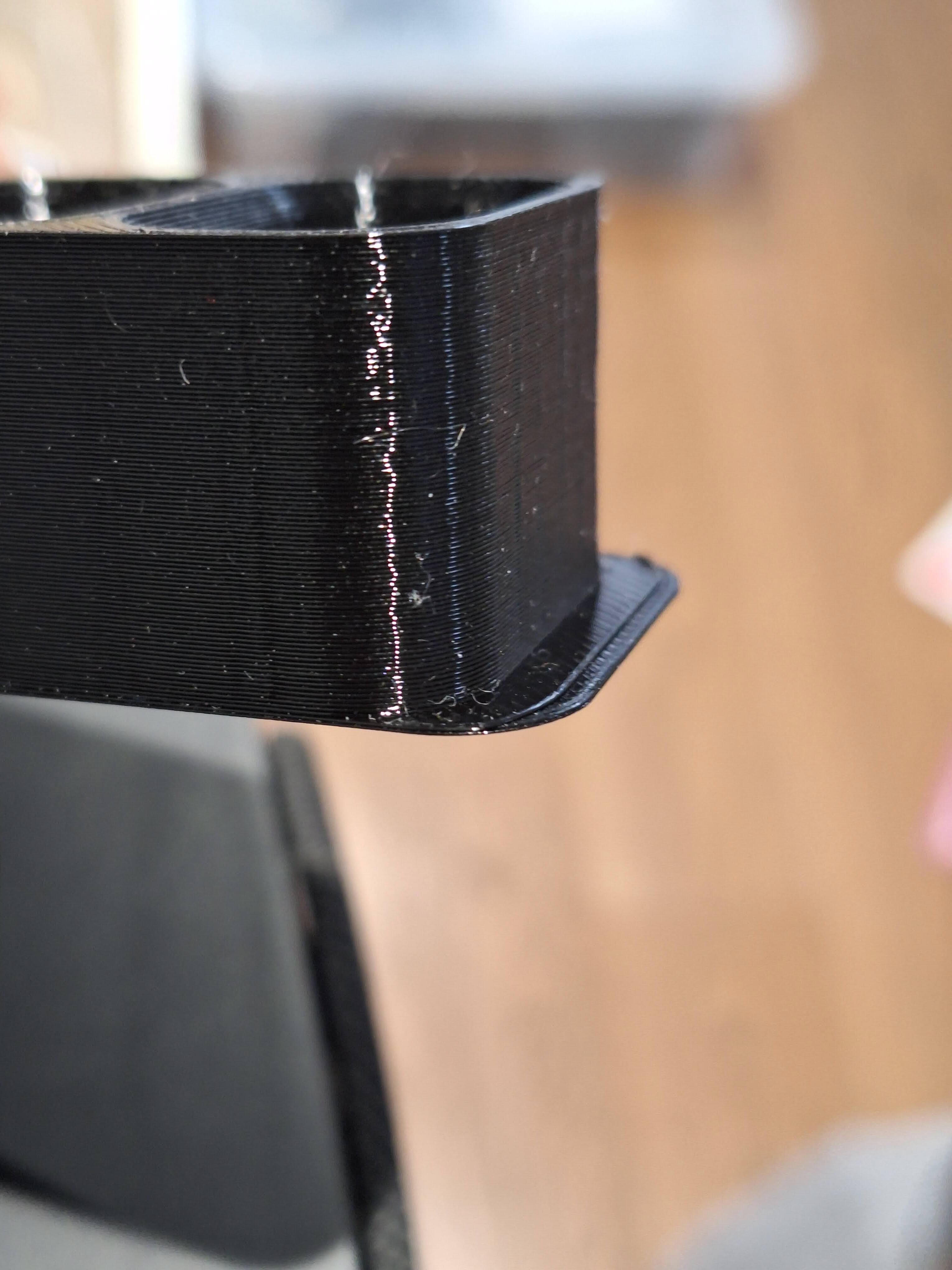


Are the vertical ridges part of the design?
The vertical ridges shouldn’t be there, I downloaded an existing project ( Highlighter Holder by François BORDAS | Download free STL model | Printables.com ) and quickly sliced with Cura 5.11 with default settings for fast prototyping. These are the vertical lines of grid infill pattern. I should have given thicker edges, I know…

I see now. I was wondering if it indicated a problem with the X linear module. Obviously not.